
Money Aesthetic has five free templates for Google Sheets: a 2027 Budget Planner for the whole year, a Christmas Budget Planner with an 80-gift list, a one-page Monthly Budget Template, a 52 Week Savings Challenge Tracker and a 100 Envelope Challenge Tracker. Each one is a ready-made Google Sheet with every formula already built. Type $0 at checkout, Gumroad emails you the link, and you make your own copy in Google Drive.
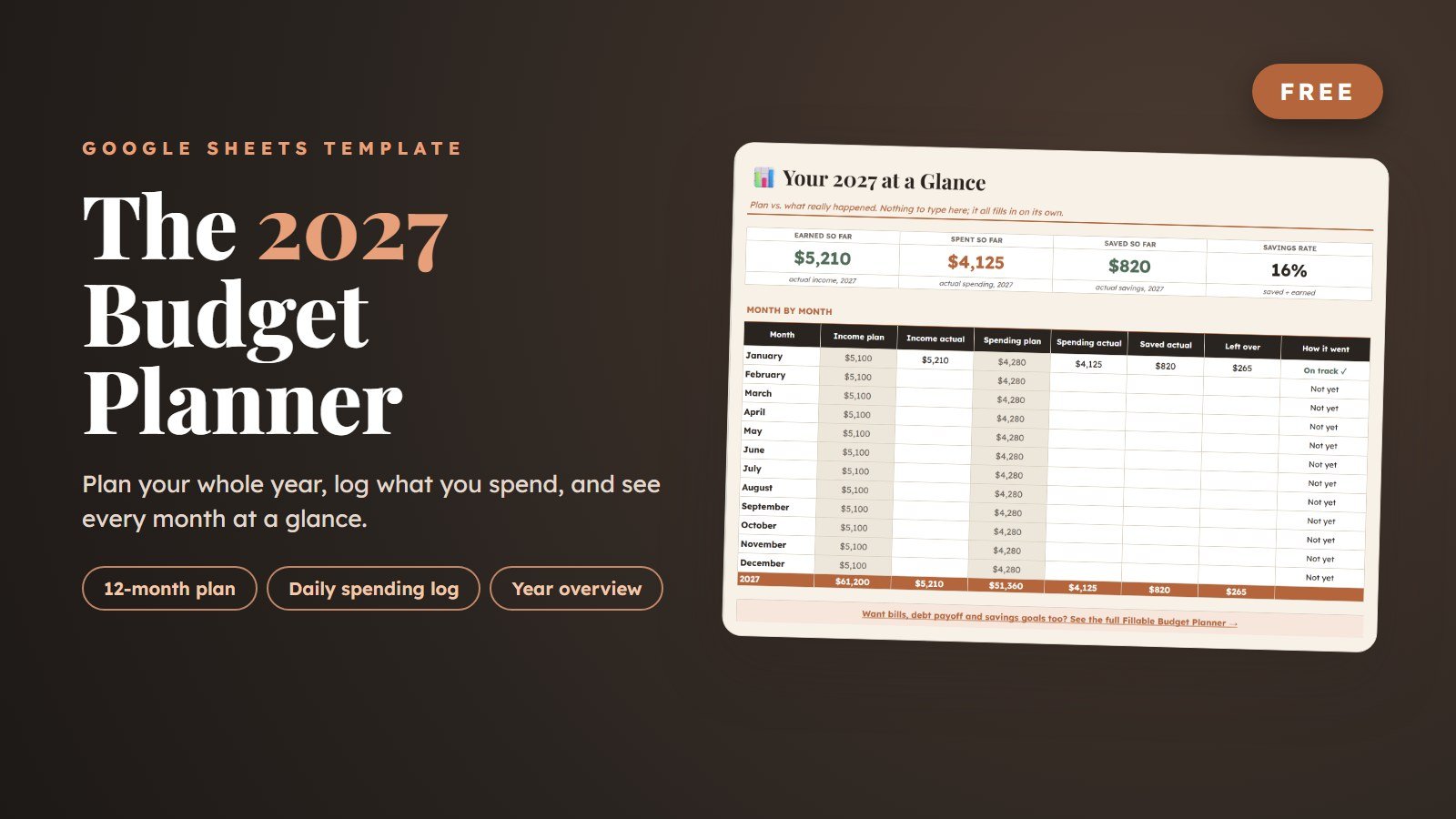
2027 Budget Planner
Plan all 12 months, log daily spending and see plan vs. actual for every month.
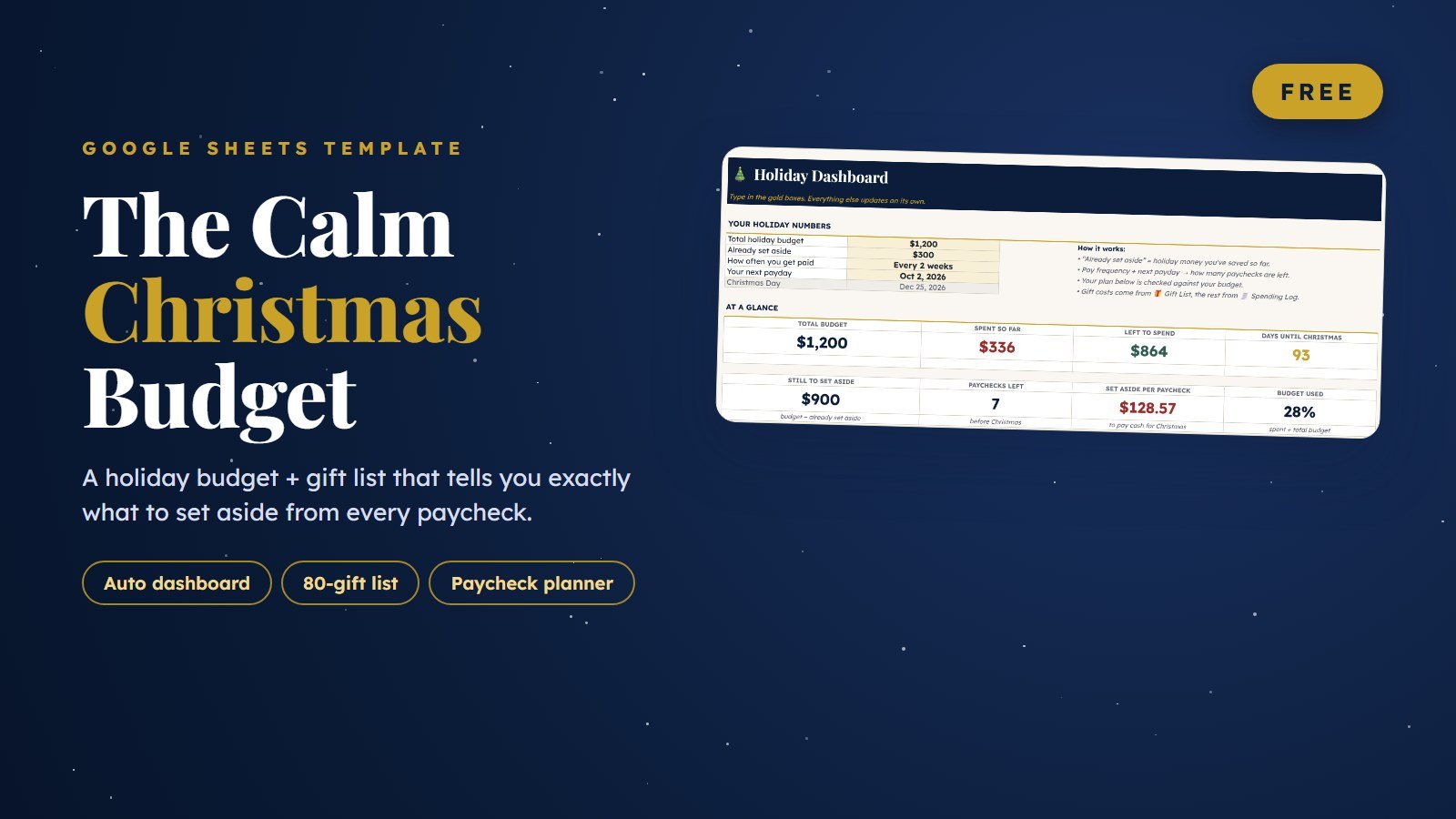
Christmas Budget Planner & Gift List
Plan every gift and holiday cost, and see what to set aside from each paycheck.
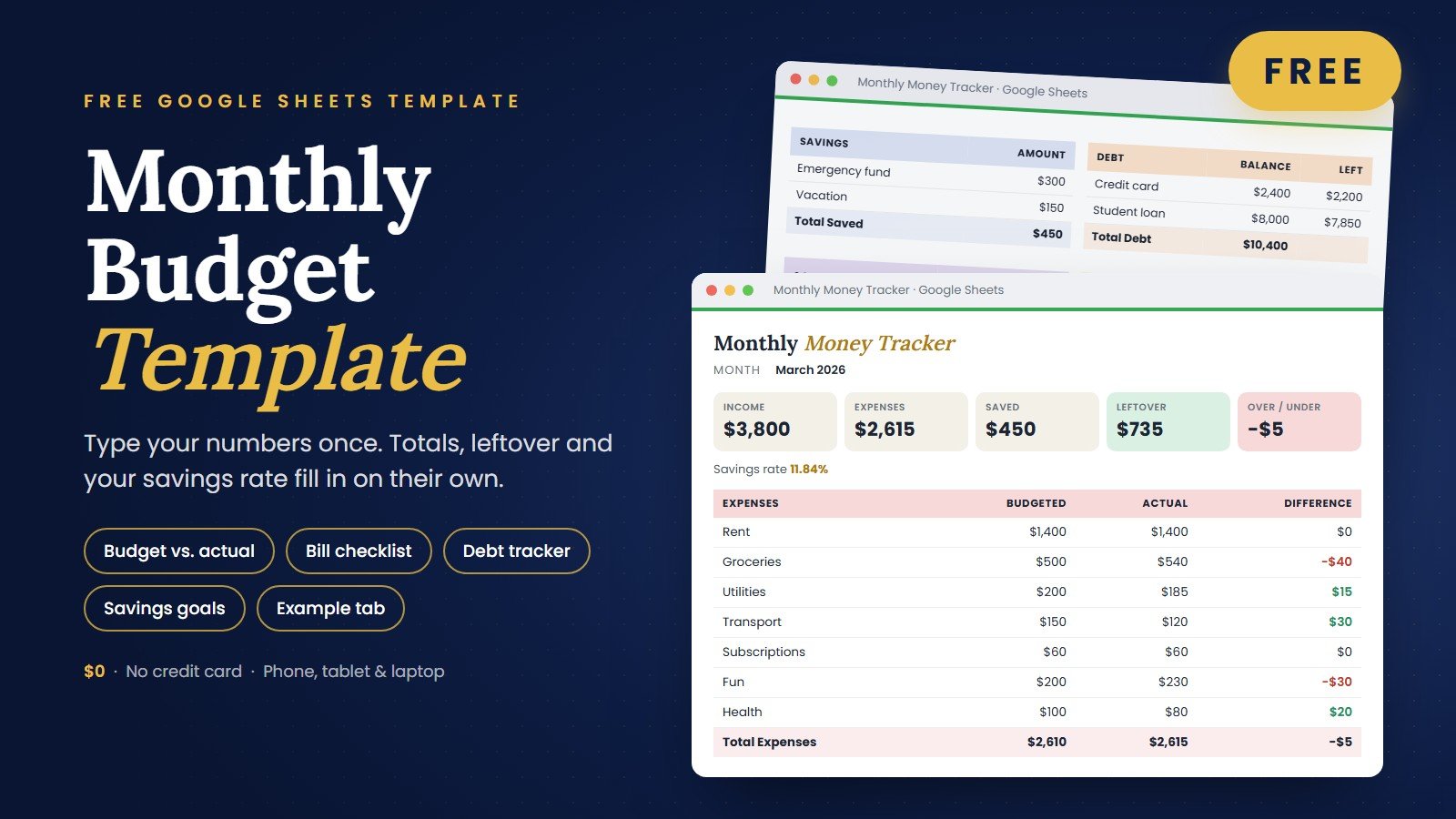
Monthly Budget Template
Income, bills, expenses and savings on one calm page that adds itself up.
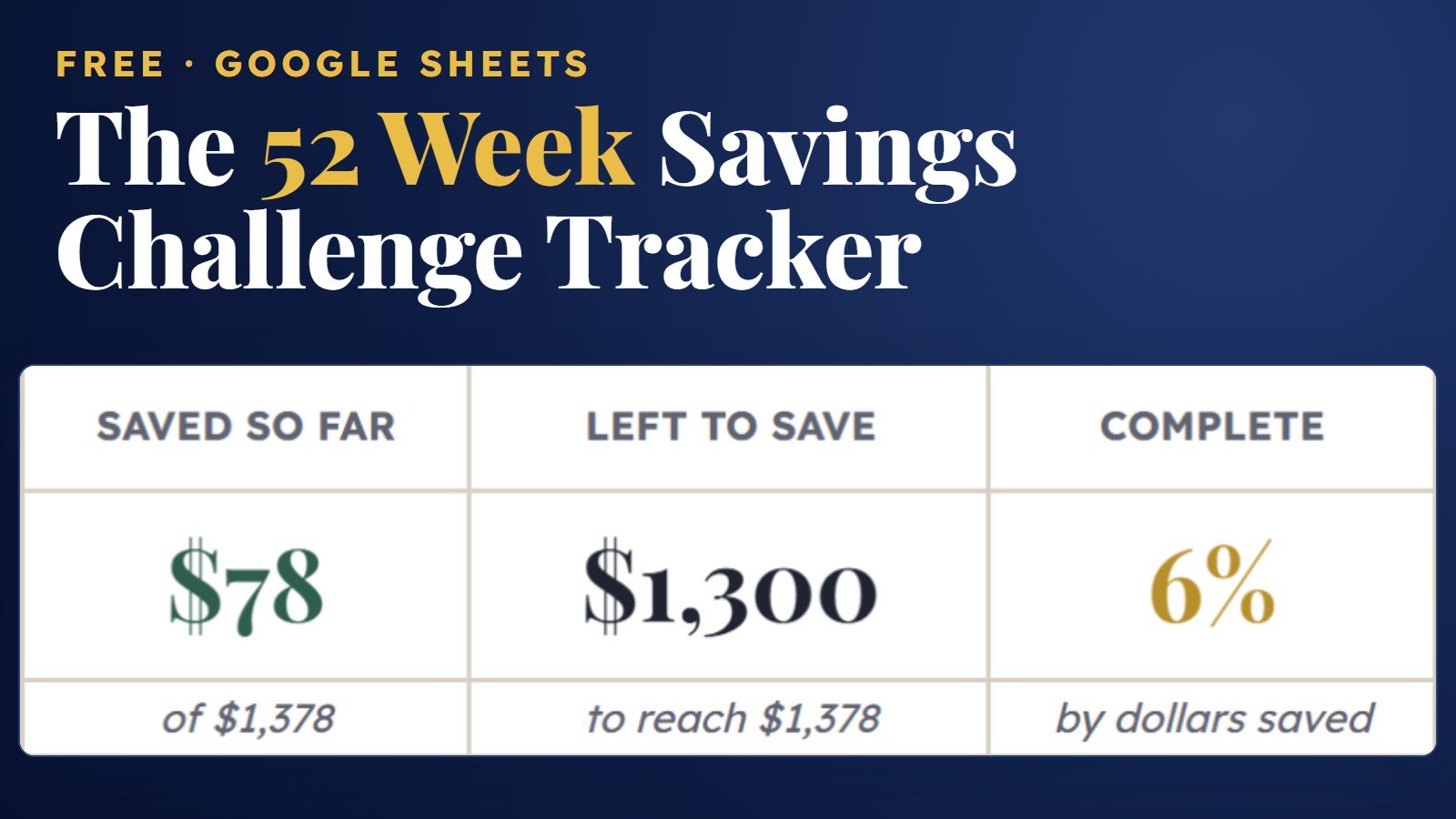
52 Week Savings Challenge Tracker
Tick off all 52 weeks, from $1 to $52, and watch your savings add up to $1,378.
100 Envelope Challenge Tracker
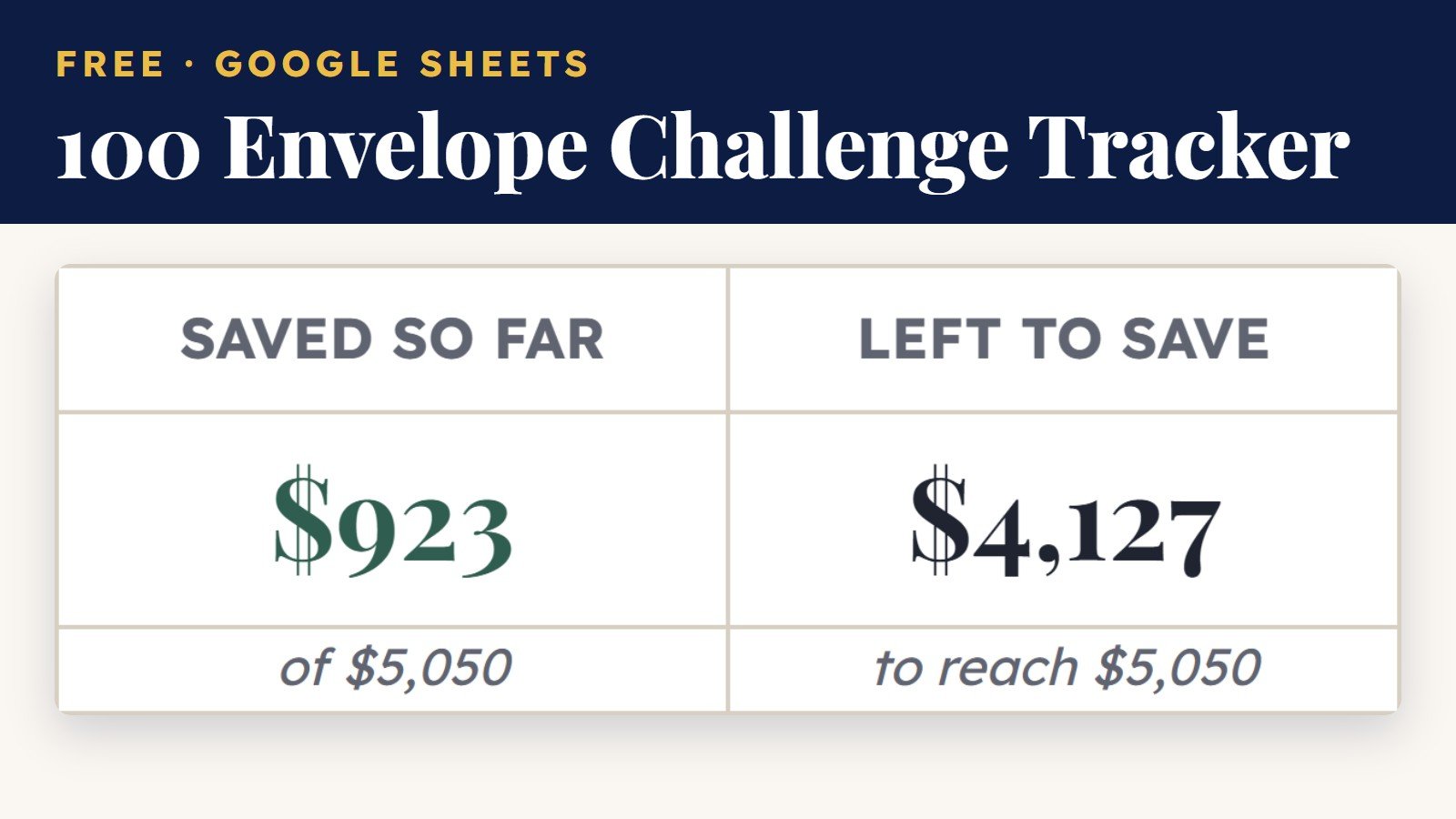
Tick 100 envelopes, from $1 to $100 in any order, and watch your savings add up to $5,050.
Which free budget template should you start with?
Pick by the time frame you want to plan. The 2027 Budget Planner covers January to December. The Christmas planner covers the holiday season and splits the cost across your paychecks. The Monthly Budget Template covers one month at a time. The 52 Week Savings Challenge Tracker is for saving, one week at a time. The 100 Envelope Challenge Tracker is for saving at your own pace, one envelope at a time. All of them are free, and you can use more than one.
| Template | Best for | Tabs | Adds up on its own |
|---|---|---|---|
| 2027 Budget Planner | Planning a full year of money | 5: Start Here, Overview, Plan, Daily Log, Actual | Plan vs. actual for every month, savings rate |
| Christmas Budget Planner & Gift List | Paying for the holidays from savings | 4: Start Here, Dashboard, Gift List, Spending Log | What to set aside each payday, gift budget vs. real cost |
| Monthly Budget Template | Seeing where this month’s money goes | 3: Money Tracker, Example, How to Use | Total income, expenses, leftover, savings rate |
| 52 Week Savings Challenge Tracker | Saving $1,378 in a year, $1 more each week | 2: Start Here, Tracker | Saved so far, left to save, percent complete, weeks done |
| 100 Envelope Challenge Tracker | Saving $5,050, $1 to $100 in any order | 2: Start Here, Tracker | Saved so far, left to save, percent complete, envelopes filled and left |
- Starting fresh in January? Begin with the 2027 Budget Planner.
- Worried about December? Start the Christmas planner now, while there are still paychecks left to spread the cost over.
- Just want to know where your money went? The Monthly Budget Template is the quickest to fill in.
- Want a savings habit for 2027? The 52 Week Savings Challenge Tracker starts at $1 and adds $1 each week.
- Like to save at your own pace? The 100 Envelope Challenge Tracker lets you fill any envelope, from $1 to $100, in any order.
What’s inside each free template
2027 Budget Planner
A yearly budget for Google Sheets. You type your usual income, bills and savings once in the Plan tab, and all 12 months fill in. A month with a third paycheck or a once-a-year bill? Type over just that month. The Daily Log has room for nearly 1,000 purchases, with a calendar date picker and a category dropdown, and the Actual tab adds them up by month and category. Any line that goes over plan turns red.
Good to know: it comes with 20 spending categories plus 2 blank rows, and you can rename any of them. It does not compare debt payoff methods. The Budget by Paycheck Spreadsheet ($6.99, also Google Sheets) adds that.
Christmas Budget Planner & Gift List
A holiday budget that works backward from your paydays. Type your total holiday budget, what you have already saved, how often you get paid and your next payday. The dashboard counts the paychecks left before Christmas and tells you the one amount to set aside from each one. The gift list holds 80 gifts, each with a budget, the real cost and a status from Idea to Given. Costs people forget, like hosting, cards and postage, travel and decorations, have their own lines.
Good to know: order-by dates, a card list with addresses and totals per person are in the paid Christmas Gift Tracker PRO. The free planner stays free.
Monthly Budget Template
A one-page budget for a single month. It has rows for 9 income sources, 17 expense categories, 8 savings lines, 7 debts, 7 savings goals and 10 bills. You type what you planned and what you actually spent, and the top boxes show your total income, total expenses, leftover money and savings rate. An Example tab shows a full month already filled in, so you never start from a blank sheet.
Good to know: it works with monthly income. If you are paid weekly or every two weeks, the Budget by Paycheck Spreadsheet turns those paychecks into a monthly budget for you.
52 Week Savings Challenge Tracker
A savings challenge tracker for Google Sheets. Save $1 in week 1, $2 in week 2 and so on up to $52, for $1,378 in total. Pick a start date from the calendar (it starts on January 1, 2027) and all 52 weeks fill in with their date, deposit and a running total. Tick a week when the money is in savings: the row turns green, and the cards show what you have saved, what is left and how many weeks are done.
Good to know: the free tracker runs one challenge at $1 more each week. The Savings Challenge Tracker ($6.99, also Google Sheets) holds 6 challenges, including a no-spend calendar, and lets you pick a $1, $2, $5 or $10 step for the 52 weeks.
100 Envelope Challenge Tracker
A savings challenge tracker for Google Sheets. One hundred envelopes, from $1 to $100, sit in a 10 × 10 grid with a checkbox under each one. Fill them in any order: tick an envelope when that amount is in savings and it turns green, while the cards show what you have saved, what is left to reach $5,050 and how many envelopes are filled. Pick a start date from the calendar (it starts on January 1, 2027) and the sheet shows the finish date at one envelope a day.
Good to know: the free tracker runs the classic $1 to $100 challenge. The Savings Challenge Tracker ($6.99, also Google Sheets) holds 6 challenges, including a no-spend calendar, and its 100 envelope tab adds half or double envelope sizes.
How to get your free copy
- Open the template you want and click Get it free.
- On the Gumroad checkout, type $0 in the price box and enter your email. No credit card is needed. A tip is optional.
- Open the download and click the Google Sheets link, then choose Make a copy. Your own private copy saves to your Google Drive.
- Type your numbers into the gold and white cells. Every formula is already built, so the totals update as you go.
You need a free Google account. Make your copy in a web browser first, then you can open it in the Google Sheets app on your phone.
Why a Google Sheets budget template
- Your numbers stay in your own Drive. The copy you make belongs to you. We never see what you type into it.
- It goes where you go. Update it from your laptop at home or your phone in the store.
- You can budget together. Share your copy with a partner and you both see the same numbers.
- No formulas to write. You only type numbers. The math is done for you.
Free budget template FAQ
Are these budget templates really free?
Yes. Type $0 in the price box at checkout and the template is yours. You can leave an optional tip of about the price of a coffee, but you never have to.
Do I have to enter my email?
Yes. Checkout runs through Gumroad, which asks for an email so it can send your download link. No credit card is needed when you choose $0.
Do I need Excel?
No. All of these templates are Google Sheets files. You only need a free Google account and a web browser or the Google Sheets app.
Do the templates work on my phone?
Yes. Make your copy in a browser first, then open it in the free Google Sheets app to update it anywhere.
Can I change the categories?
Yes. In the 2027 Budget Planner you rename a category in the Plan tab and the rest of the sheet follows. In the Monthly Budget Template you type your own category names in the expense rows.
Guides that go with these templates
- Yearly Budget Planner: How to Map Your Whole Year of Money
- How to Save for Christmas: Start Your Holiday Fund Now
- Christmas Gift List Template: A Free Sheet That Keeps You on Budget
- Budget Categories: The Only List You Actually Need
- How to Budget With Irregular Income
- The 52-Week Savings Challenge: Save $1,378 One Week at a Time
- The 100 Envelope Challenge: Save $5,050 (Without Feeling It)
Updated October 21, 2026
Want more? See all templates or read the money guides.