
Debt Payoff Spreadsheet
A debt snowball & avalanche tracker that shows your debt-free date — and keeps you motivated as the balances fall.
Take a look inside
The actual product — here’s what you get.
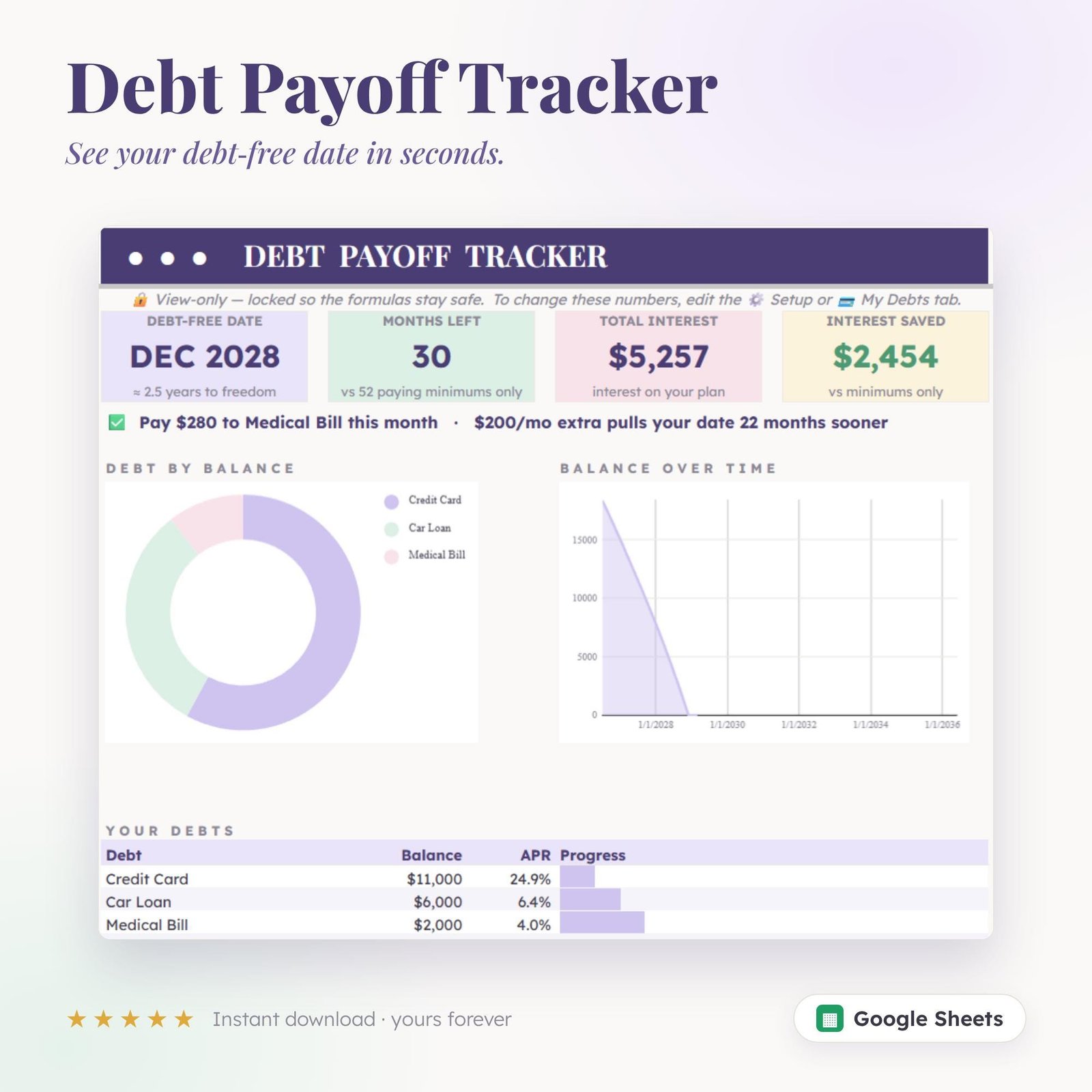
See your debt-free date
Your payoff date, total interest, and interest saved — all live, all automatic, the moment you enter your debts. Suddenly the finish line feels real.
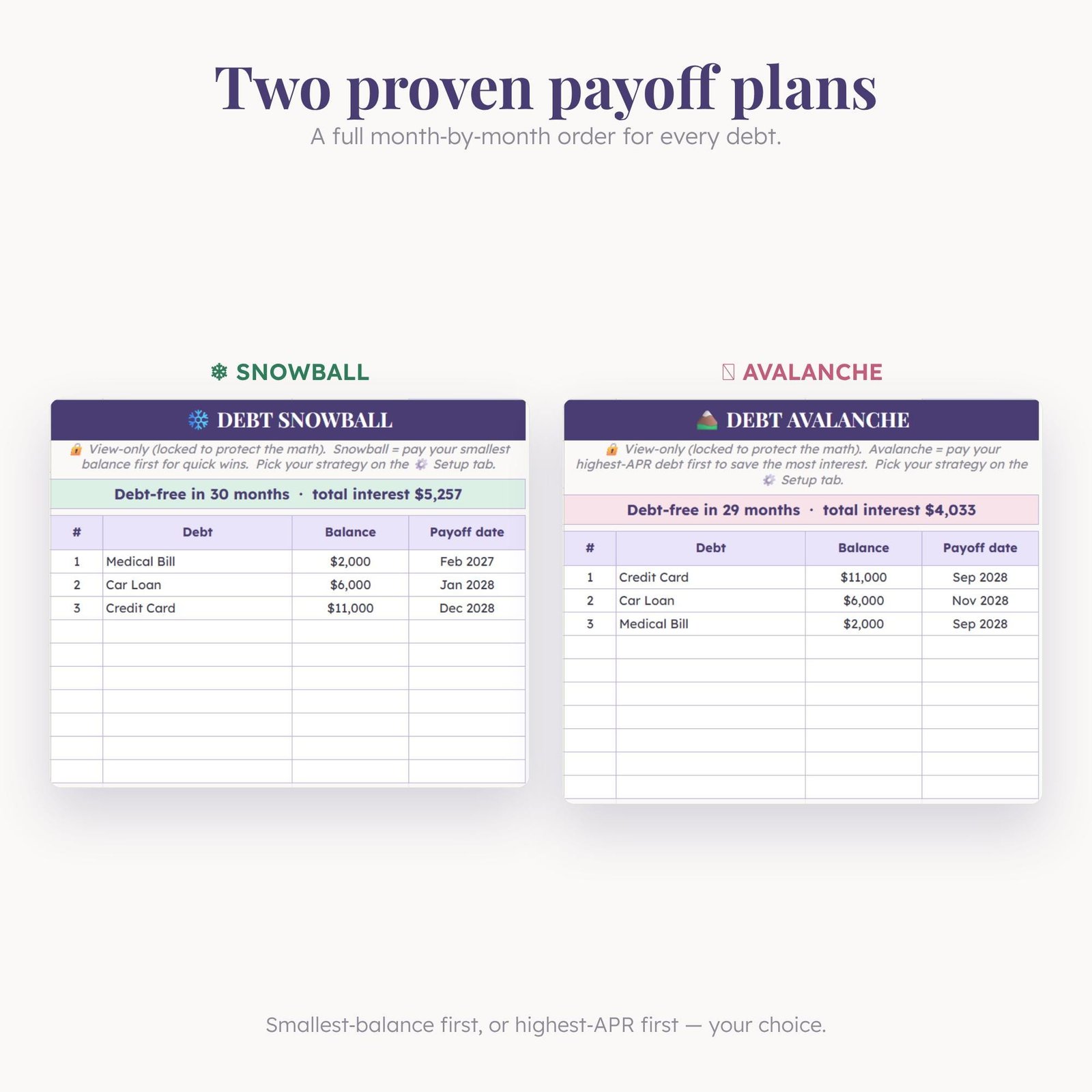
Two proven plans, side by side
Compare smallest-balance-first against highest-interest-first and pick the one that frees you fastest. The sheet does the math; you just choose.
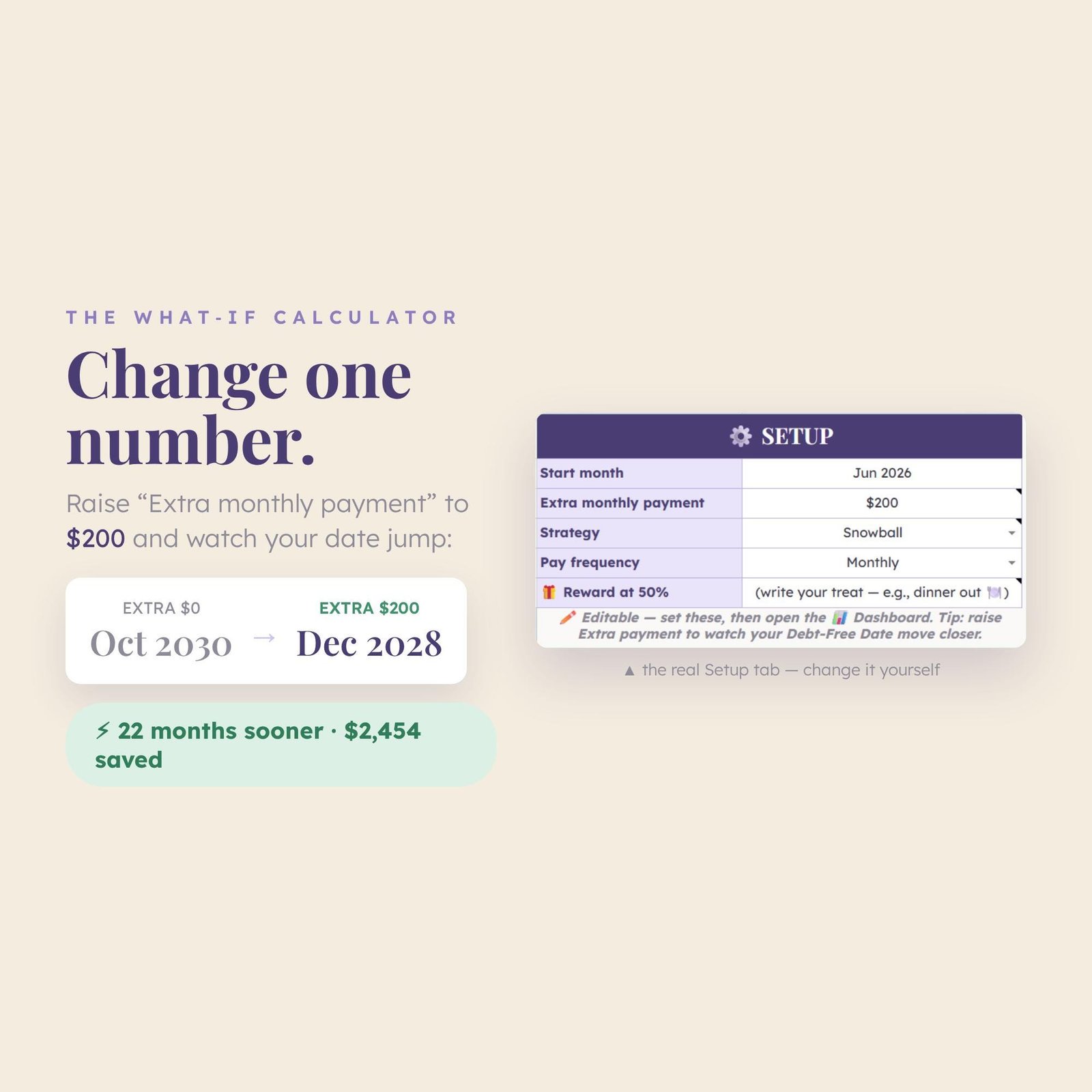
Change one number, watch it move
Bump your extra payment by $50 and instantly watch your debt-free date jump months closer. It’s weirdly motivating — and a little addictive.
What’s inside
See the finish line, then watch it get closer.
Snowball & avalanche
Compare both methods and pick your fastest path.
Debt-free date
See the exact month you’ll be debt-free.
Interest saved
Watch how much interest extra payments save you.
Visual progress
Balances and progress bars that keep you going.
Extra-payment what-ifs
Test “what if I add $50?” and see it move.
Free updates
Every future improvement is yours, free.
How it works
Get it
One click on Gumroad — instant access.
Make a copy
Open the link and choose “Make a copy” to your Drive.
Add your debts
Enter balances & rates; see your debt-free date.
What buyers are saying
★★★★★ from happy budgeters
“Seeing my actual debt-free date changed everything. Paid off $4,200 faster than planned.”
“The snowball vs avalanche comparison is gold. I switched and saved months.”
“Watching the balances fall is weirdly motivating. I throw every spare $20 at it now.”
“The ‘what if I add $50’ feature kept me going. Down to my last card.”
“Simple, clear, no fluff. It does one job — get me out of debt — perfectly.”
“I finally understand my debt instead of avoiding it. Game changer for $7.”
FAQ
How do I get it after checkout?
You’ll get an instant link to the Google Sheet. Choose “File → Make a copy” to save your own editable version.
Snowball or avalanche — which does it use?
Both. It shows you each method side by side so you can choose your fastest, cheapest path.
What do I need to use it?
A free Google account. Runs in Google Sheets — no Excel or install needed.
Can I use it on my phone?
Yes, it works in the Google Sheets mobile app.
Do I get future updates?
Yes, every improvement is yours for free.
More money templates
You might also like these.
See your debt-free date
Start your payoff plan. Yours in one click.