
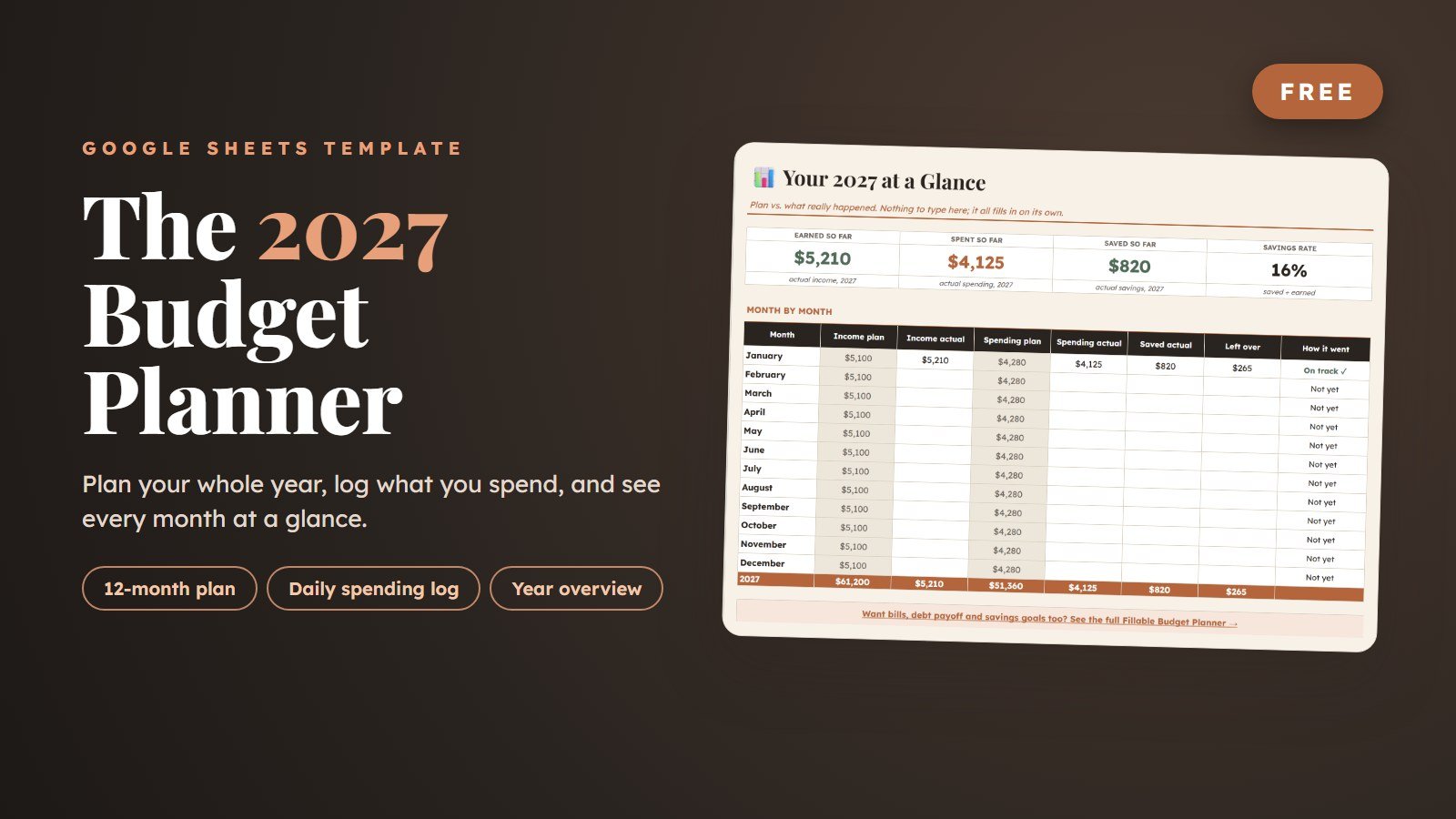
Free 2027 Budget Planner (Google Sheets)
A free 2027 budget planner for Google Sheets. Type your usual income, bills and savings once and all 12 months fill in. Log what you spend each day, and you see plan vs. actual for every month without writing a single formula.
What is this free 2027 budget planner?
The 2027 Budget Planner is a free Google Sheets template for planning and tracking a full year of money. You type your usual income, bills and savings once and all 12 months fill in, log purchases in a daily spending log, and see budget vs. actual for every month. It costs $0, and Gumroad asks only for an email to send the link.
| Price | $0 (an optional tip is welcome, never required) |
|---|---|
| Format | Google Sheets, with every formula already built |
| Covers | January to December 2027 |
| Tabs | 5: Start Here guide, 2027 Overview, 2027 Plan, Daily Log, 2027 Actual |
| Spending categories | 20 ready to use, plus 2 blank rows; rename any of them |
| Daily log | Room for nearly 1,000 purchases, with a calendar date picker and a category dropdown |
| Works on | Desktop, tablet and phone with a free Google account |
| To get it | Type $0 at checkout and enter your email; no credit card is needed |
Take a look inside
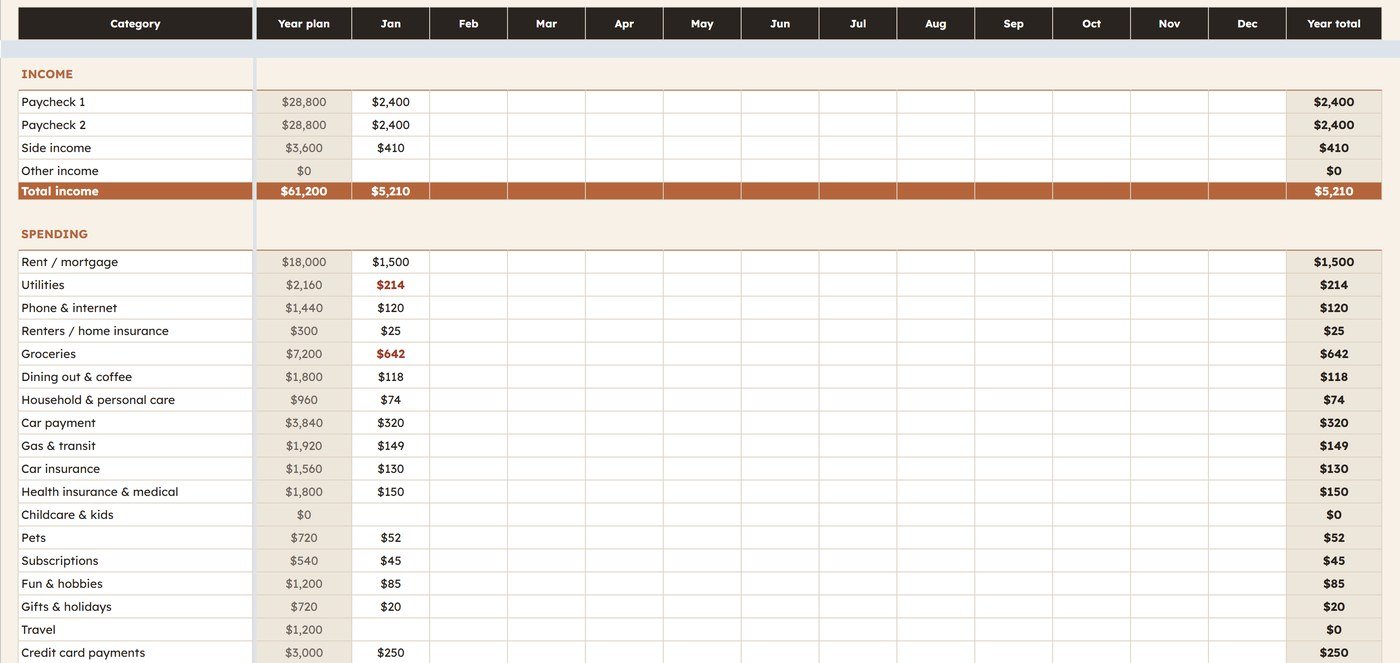
The actual spreadsheet you’ll get, shown with sample numbers filled in.
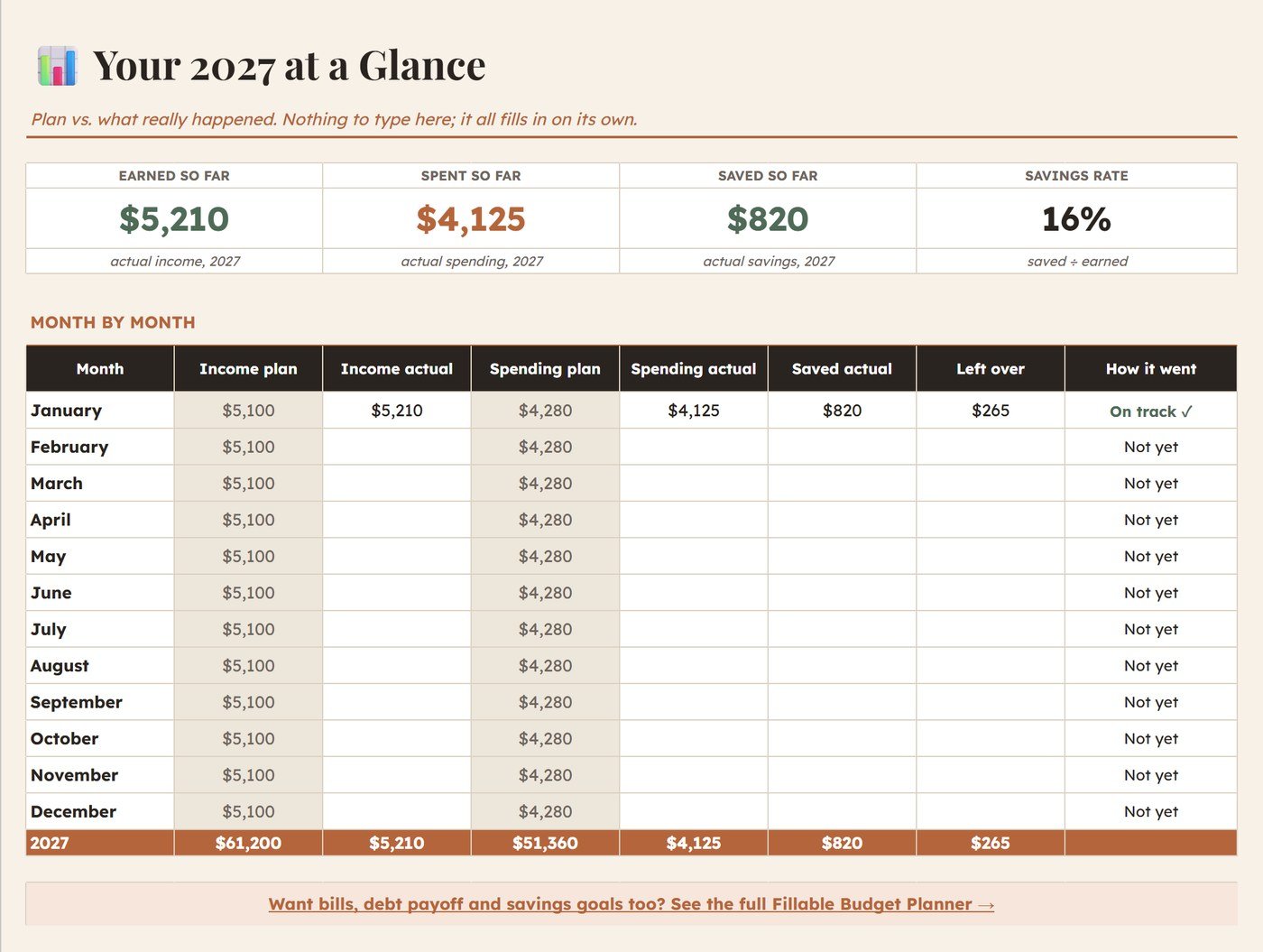
Your whole year on one page
Plan vs. what really happened, month by month: income, spending, savings and what was left over. The cards at the top add up what you’ve earned, spent and saved so far, plus your savings rate.
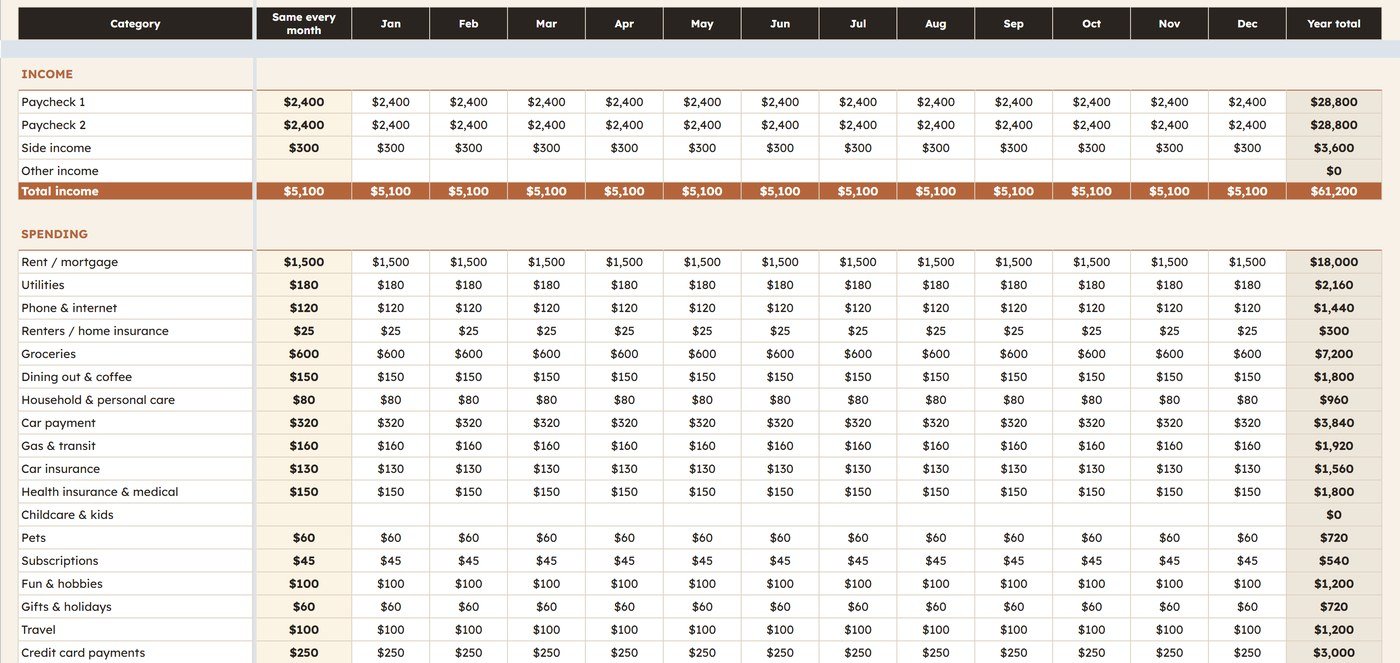
Type it once. All 12 months fill in
Put your usual amount for each line in the gold column and it copies into January through December. A month with three paychecks or a once-a-year bill? Type over just that month. The bottom row shows any money that doesn’t have a job yet.
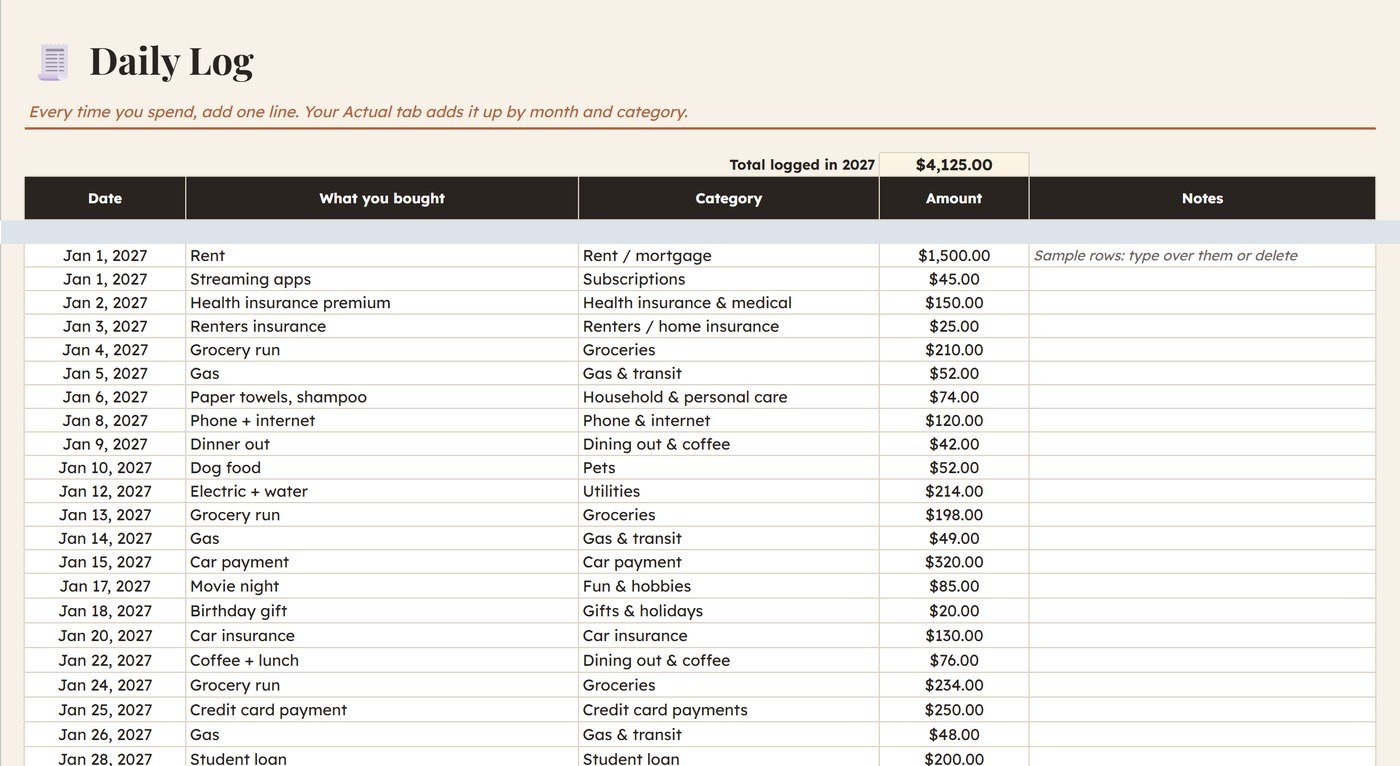
Log a purchase in seconds
One line per purchase: pick the date from a calendar, type what you bought, choose a category from the dropdown and type the amount. Refunds go in as a minus number. Prefer monthly totals? Skip the log and type them straight into the Actual tab.
See where you went over
Your daily log adds up by month and category on its own. Any spending line that goes above your plan for that month turns red, so you know exactly what to adjust next month.
What’s inside
Five tabs that do the math for you.
Start-here guide
A 10-minute walkthrough, plus tips for irregular income and once-a-year bills.
12-month plan
Income, 20 spending categories and savings, with 2 blank rows for your own.
Daily spending log
Room for nearly 1,000 purchases, with a calendar date picker and a category dropdown.
Budget vs. actual
Every month and category side by side, with overspending in red.
Year overview
Earned, spent, saved and your savings rate for 2027.
Your own categories
Rename any category once and it updates everywhere.
How it works
Get it free
Click the button and type $0 at checkout (or leave a coffee-sized tip). You get a PDF with your Google Sheets link right away.
Make a copy
Open the link and click “Make a copy.” Your own private copy saves to your Google Drive.
Plan 2027
Fill in the gold column, log what you spend, and watch your year add up.
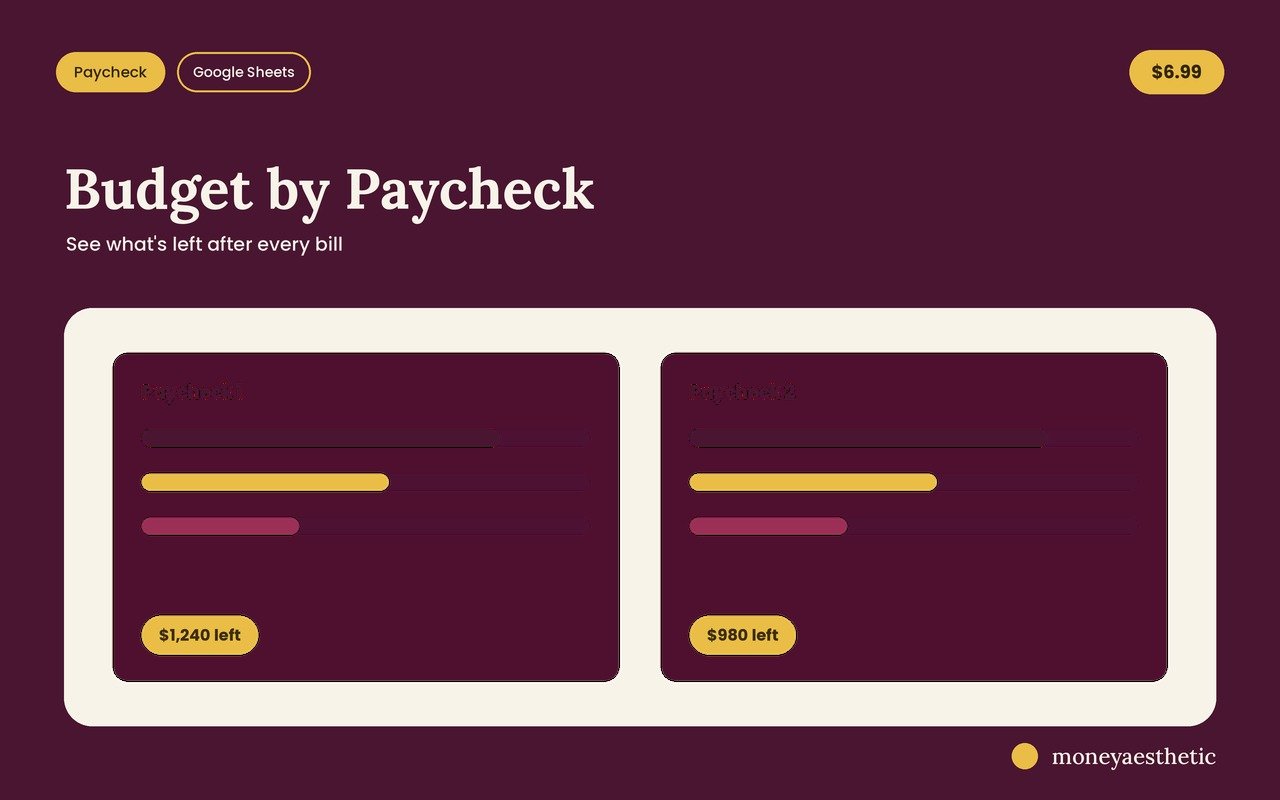
The Budget by Paycheck Spreadsheet is also a Google Sheet. It adds paycheck-by-paycheck planning, a bill calendar, a debt snowball and avalanche calculator and savings goals.
Why it makes the year calmer
The small things that keep a yearly budget from falling apart by March.
Set it up once, not twelve times. Your usual numbers copy into every month, so January takes ten minutes and February takes none.
Every dollar gets a job. The bottom row of the plan shows money you haven’t assigned yet. Aim for $0 and nothing slips through.
The coffee runs add up where you can see them. Log a purchase in a few seconds and it lands in the right month and category on its own.
Red means look here. When groceries go over plan, the number turns red, so you know which line to adjust next month.
You don’t need to know spreadsheets. Type in the gold and white cells. Every formula is already built, and the guide tab walks you through it.
Paychecks that never match? Plan with your lowest normal month and type over the months that are different. The year still adds up.
Once-a-year bills stop being a surprise. Car registration, insurance, holidays: put a little in the sinking funds row each month.
Plan it together. Share your copy with a partner and you both see the same numbers from your phones.
FAQ
Is the 2027 budget planner really free?
Yes. Type $0 in the price box at checkout and it’s yours. If it helps, you can leave an optional tip of about the price of a coffee, but you never have to.
Do I need to enter my email?
Yes. Checkout runs through Gumroad, which asks for your email so it can send your download link. No credit card is needed when you choose $0.
Do I need to be good with spreadsheets?
No. Every formula is already built. You type your own numbers into the gold and white cells, and the START HERE tab explains each step.
What do I actually receive?
An instant PDF download with a link to the Google Sheet. Click it, choose “Make a copy,” and your own private version saves to your Google Drive. You need a free Google account.
Do I have to log every purchase?
No. The Daily Log is optional. If you’d rather work with monthly totals, type them straight into the spending cells of the Actual tab.
Does it work on my phone?
Yes. Make your copy in a browser first, then open it in the free Google Sheets app and update it anywhere.
Is there a paid version with more features?
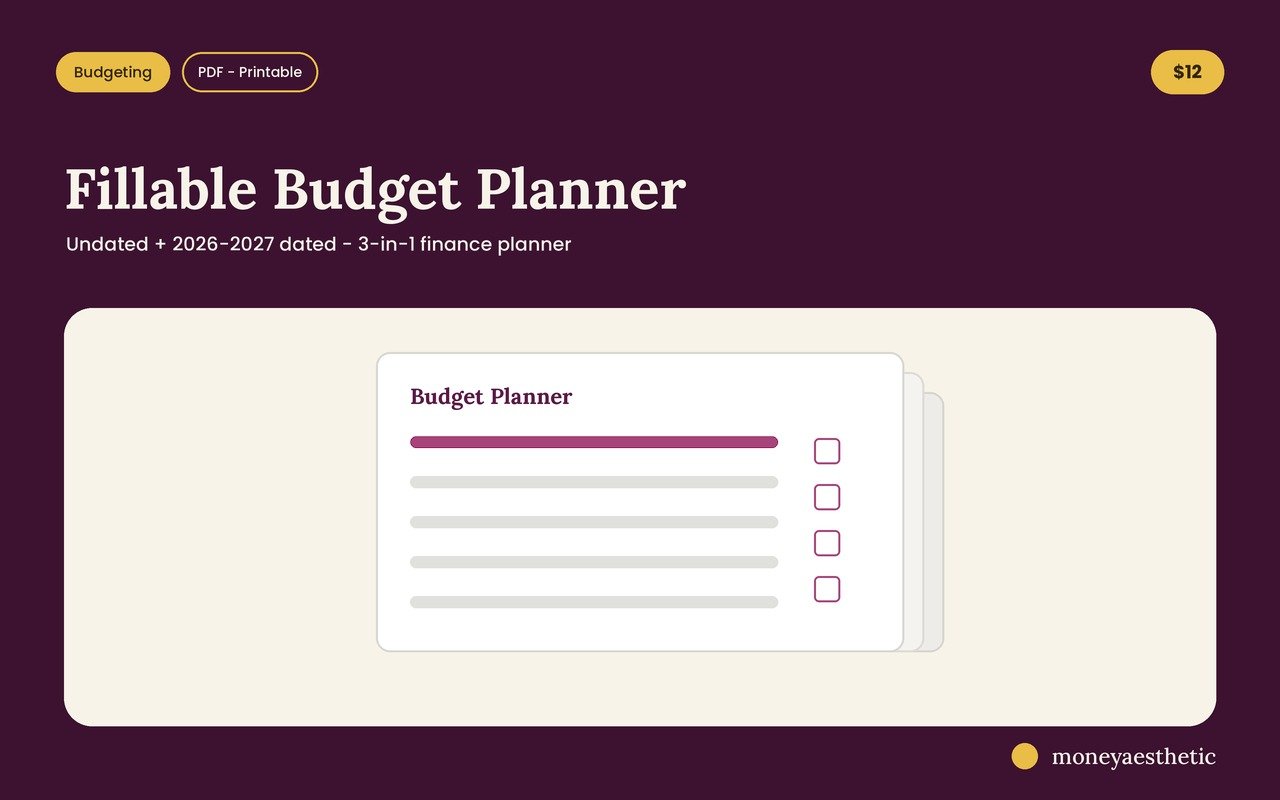
Yes. The Budget by Paycheck Spreadsheet ($6.99) is also a Google Sheet. It adds paycheck-by-paycheck planning, a bill calendar, a debt snowball and avalanche calculator and savings goals. Prefer paper? The Fillable Budget Planner ($12) is a printable, type-in PDF planner, not a spreadsheet.
Does it work if my income changes every month?
Yes. Plan with your lowest normal month in the gold column, then type over the months where you expect more. The bottom row of the Plan tab shows any money that doesn’t have a job yet.
Can I get a refund?
The template itself is free. Optional tips go with an instant digital download, so all tips and purchases are final and refunds aren’t offered. If anything about your file doesn’t work as described, send a message through our contact form and we’ll help you get it sorted.
More money templates
Pair your 2027 plan with these.
Start 2027 with a plan
A 12-month budget, daily spending log and year overview in one Google Sheet. Free, and yours in a minute.
Get it free →