
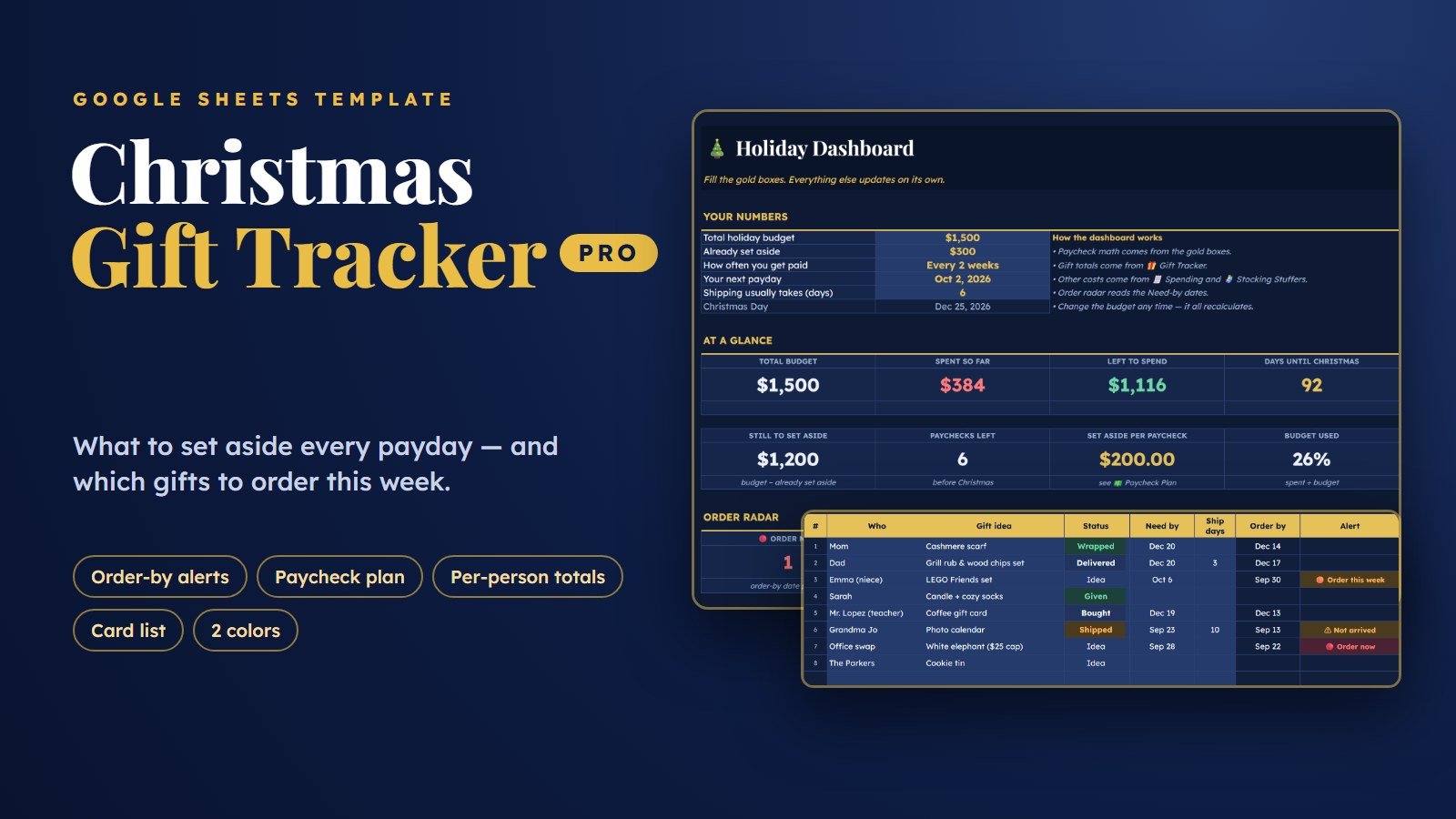
Christmas Gift Tracker for Google Sheets (PRO)
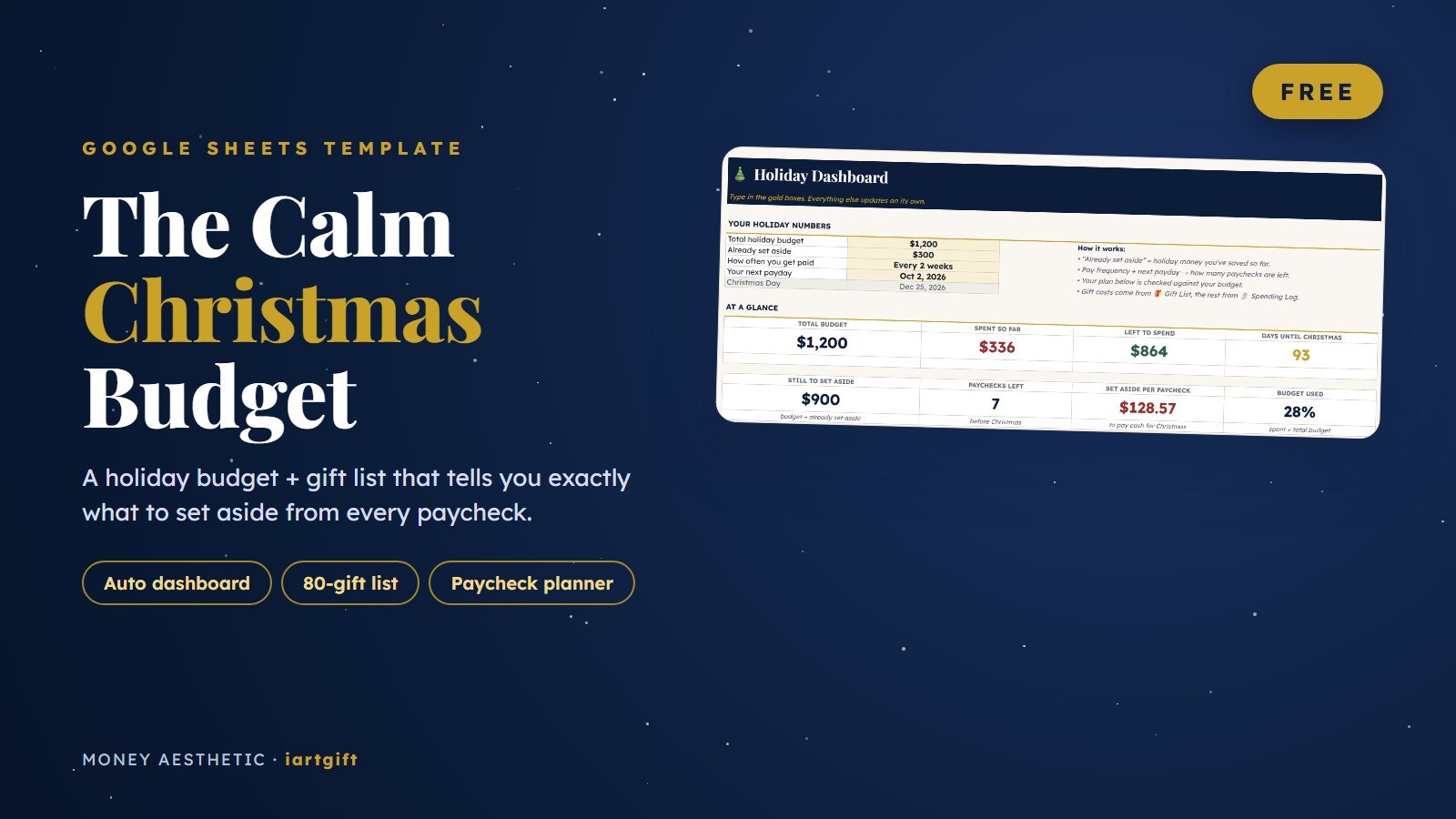
A Christmas gift tracker and budget spreadsheet for Google Sheets that answers two questions a basic gift list can’t: how much to set aside from each paycheck until Christmas, and which gifts you need to order this week so they arrive on time.
Take a look inside
Real screens from the sheet, with the sample rows filled in.
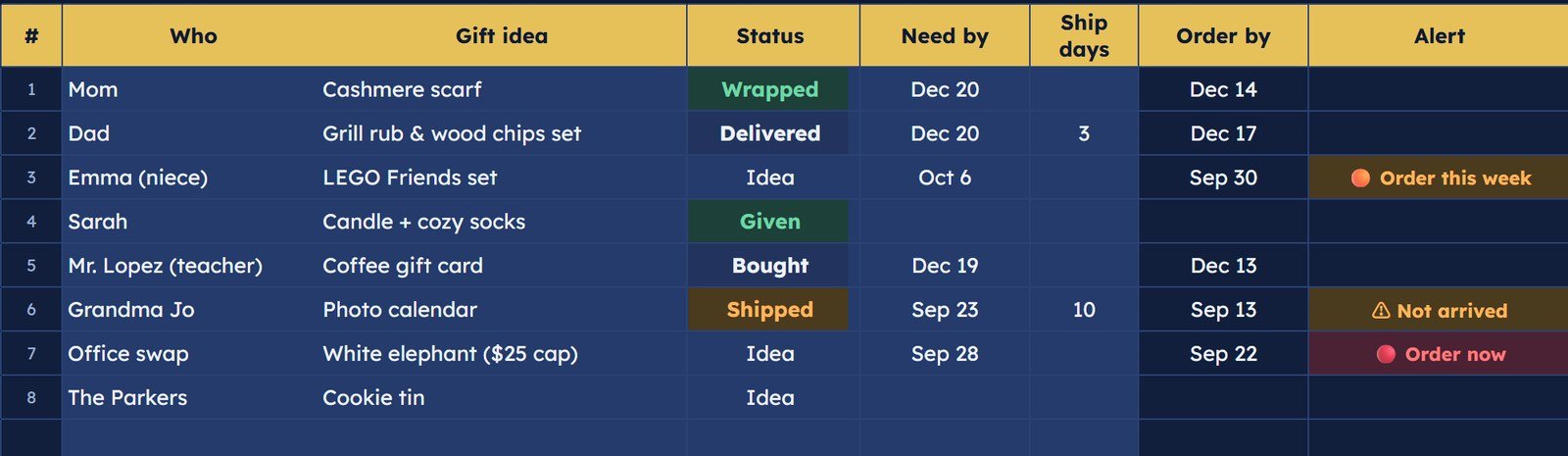
Know which gifts to order this week
Type the date a gift needs to be in your hands. The sheet subtracts shipping days, works out your order-by date and flags it: Order now when that date has passed, Order this week when it’s within 7 days, and Not arrived when something shipped but still isn’t here.
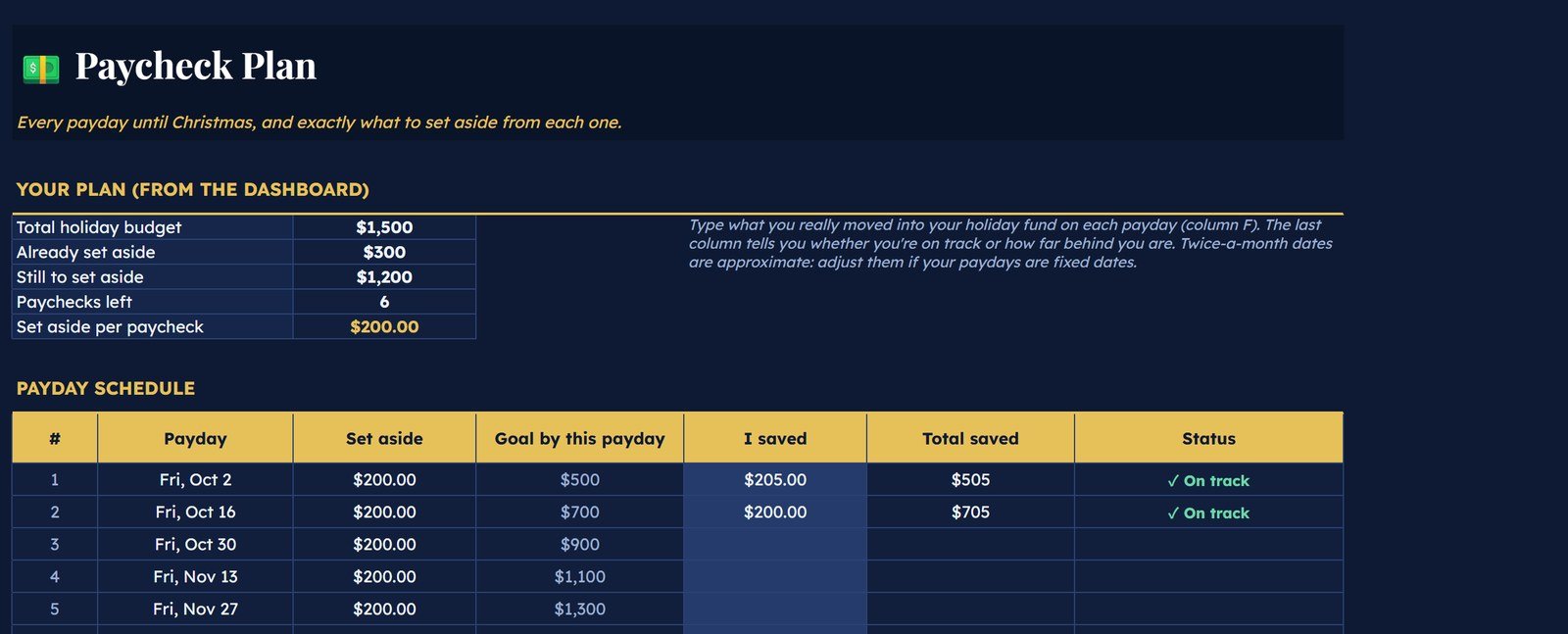
Every payday until Christmas, with the amount to save
Pick weekly, every 2 weeks, twice a month or monthly and add your next payday. It lists every payday before Christmas Day, splits what’s left to save evenly across them, and tells you On track or how far behind you are as you log what you really saved.
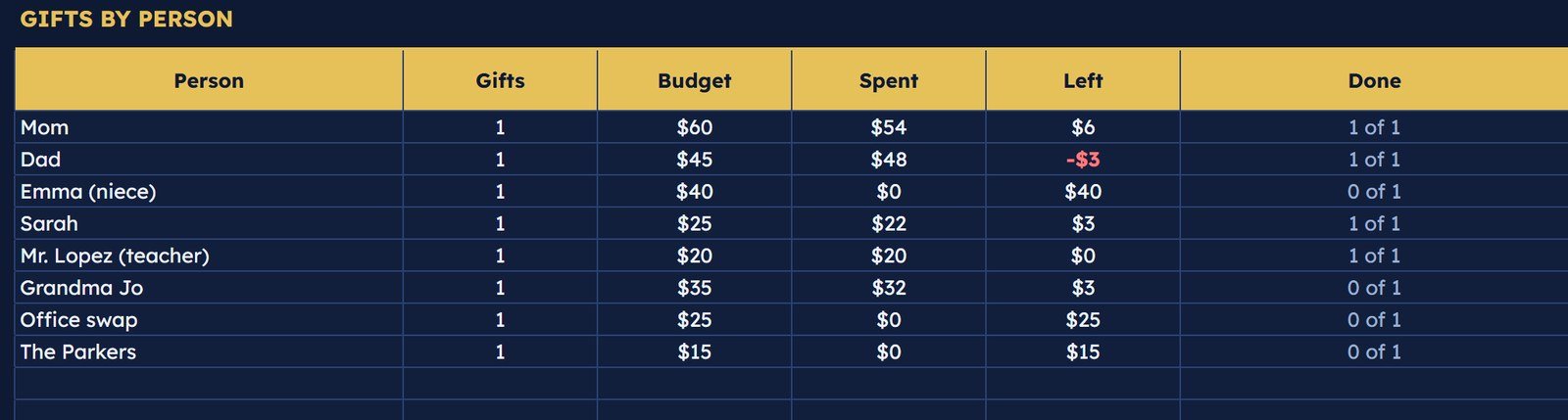
Keep it fair between the kids
The dashboard totals every name on your list: how many gifts, the budget, what you spent, what’s left and how many are done. Spot the kid who got two more gifts before Christmas morning, not after.
What’s inside
Eight tabs that stay out of your way — and a Start Here page that explains every one.
Holiday dashboard
Budget, spent, left, days until Christmas, an order radar and the next 5 gifts to order.
100-gift tracker
Who, group, gift, budget vs. actual, status from Idea to Given, where to buy, and a hiding-spot column.
Paycheck plan
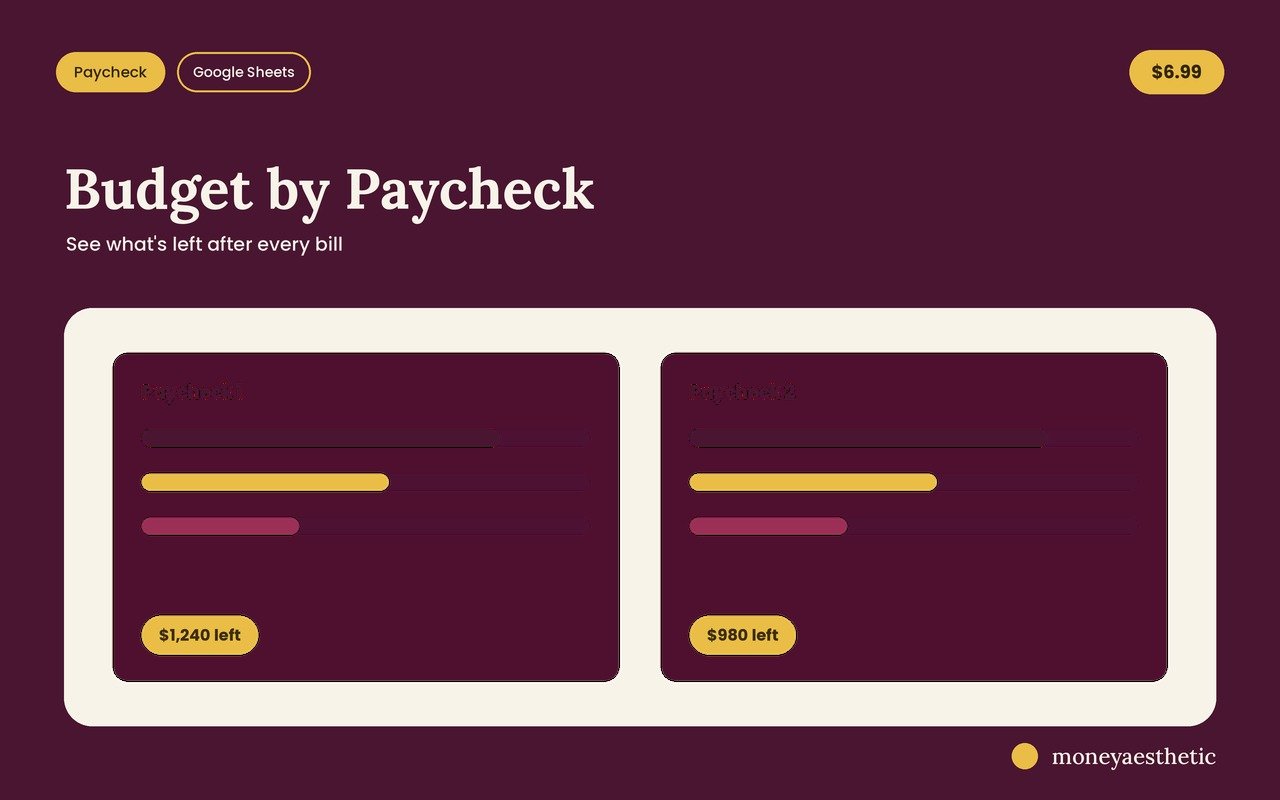
Every payday until Christmas with the set-aside amount and an on-track check.
Spending by category
Food, decor, travel, cards and postage, wrapping, outfits, events and giving — planned vs. spent.
Card list, to-dos & stockings
Reusable card addresses, an 18-task countdown checklist and a stocking-stuffer budget.
Hard to break
Formula cells warn you before you overwrite them, every column has a hover note, and date cells open a calendar.
How it works
Buy & download
Checkout takes seconds. You get a PDF with two Google Sheets links: Midnight (dark) and Cream (light).
Make a copy
Click a link and choose Make a copy. Your own private copy saves to your Google Drive.
Fill the 5 gold boxes
Budget, what you’ve saved, pay frequency, next payday and shipping days. Everything else updates on its own.
Free vs. PRO
Start with the free planner. Upgrade when December gets busy.
| FREE | PRO | |
|---|---|---|
| Tabs | 4 Start Here Dashboard Gift List Spending Log | 8 all 4, plus: Paycheck Plan Card List Holiday To‑Do Stocking Stuffers |
| Set aside per paycheck | ✓ | ✓ + payday schedule |
| Gift list with budget vs. actual | 80 gifts | 100 gifts |
| Order-by dates & “order now” alerts | — | ✓ |
| Totals per person & per group | group only | ✓ both |
| Card list with addresses | — | ✓ |
| Holiday to-do countdown | — | ✓ 18 tasks |
| Stocking stuffers budget | — | ✓ |
| Formula protection, hover notes, date pickers | — | ✓ |
| Colors | 1 | 2: Midnight & Cream |
| Price | Free tip optional | $6.99 one-time |
Not ready yet? Start with the free Christmas Budget Planner.
Why it’s worth it
The little wins that make December calmer.
“The order-now flag is the whole point.” Most gift lists tell you what you bought. This one tells you what you still need to order before shipping gets too slow, so nothing shows up on December 27.
“One number per payday.” Instead of a big scary total, you get the amount to move on each payday. Log what you saved and it says On track or how far behind you are.
“Fair between the kids, at a glance.” The per-person table shows gift count and dollars for every name, so evening things out takes a minute, not an evening.
“Not a spreadsheet person? Doesn’t matter.” You type in the gold boxes and table rows. The formula cells warn you if you’re about to type over them, and every column header explains itself.
“Not just gifts.” Food and hosting, decorations, travel, cards and stamps usually blow the budget quietly. They each get a line with planned vs. spent and a progress bar.
“Where did I hide it?” There’s a hiding-spot column for every gift. Small thing. Very useful on Christmas Eve.
“Dark mode or light — your pick.” Midnight is navy and gold for evening planning. Cream is warm and light and prints cleanly. Both are included.
“Use it again next year.” Christmas Day updates itself each year, the card addresses stay, and you can rename the tabs for birthdays or other holidays.
FAQ
How do I keep track of Christmas gifts and my holiday budget?
List every person, the gift idea and a budget in one Google Sheet, then update the actual cost and status as you shop. This tracker adds the pieces people forget: a need-by date for each gift so it warns you when to order, per-person totals, and a paycheck plan that tells you how much to set aside each payday.
When should I order Christmas gifts so they arrive on time?
Order at least your usual shipping time before the day you need the gift in hand, plus a few extra days in December, when shipping often takes longer. In this sheet you type the need-by date and the shipping days, and it calculates the order-by date for you and flags gifts that are due within 7 days or already late.
How much should I set aside from each paycheck for Christmas?
Take what you still need to save (your total holiday budget minus what you’ve already put aside) and divide it by the number of paydays left before Christmas. The Paycheck Plan tab does this math for weekly, every-2-weeks, twice-a-month and monthly pay, and checks whether you’re on track.
What’s the difference between the free planner and PRO?
The free Christmas Budget Planner covers the budget, an 80-gift list, spending and the per-paycheck amount. PRO adds order-by dates and alerts, a payday-by-payday schedule, totals per person, a card list, a to-do countdown, stocking stuffers, formula protection and two color themes.
Does it work on my phone? Is there an Excel version?
It’s built for Google Sheets and works in the free Google Sheets app on phones and tablets (make your copy in a browser first). It isn’t sold as an Excel file.
What do I actually receive?
An instant PDF with two Google Sheets links, Midnight and Cream. Click one, choose Make a copy, and your own editable version saves to your Google Drive.
Can I get a refund?
Because this is an instant digital download — you receive the full template the moment you buy — all sales are final and refunds aren’t offered. If anything about your file doesn’t work as described, send a message through our contact form and we’ll help you get it sorted.
More money templates
You might also like these.
Plan Christmas before December plans you
Gifts, paychecks, order-by dates, cards and to-dos in one Google Sheet — $6.99, yours in one click.
Get the PRO tracker →