

Quick answer: A budget calendar is your month laid out on actual dates: each payday, each bill due date, and what your balance looks like in between. It’s built for timing problems rather than spending problems. In the Federal Reserve’s May 2026 report, 48% of adults who struggled with bills in the prior month adjusted the timing of their payments, including 42% who paid at least one bill late. A calendar lets you make those timing moves on purpose, before a bill is overdue.
Here’s the problem with a normal budget. A budget tells you how much. It says nothing about when. And “when” is where a lot of months actually fall apart. For example, rent, daycare and an insurance renewal can pile into the same week, your paycheck can show up a few days later, and you get a late fee in a month where you technically had plenty. A budget calendar closes that gap.
Key takeaways
- A budget calendar maps paydays and bill due dates onto real dates so you can see collisions before they happen.
- It’s different from a budget: a budget answers “how much,” a calendar answers “when,” and you need both.
- Add a pay-by date (the CFPB suggests 2 days before the due date for online payments and 7 days for mail) and a running balance. That’s what turns it from a pretty grid into an actual early-warning system.
- The real payoff is finding your lowest-balance day, the day each month your account dips closest to zero.
What Is a Budget Calendar?
A budget calendar is a month-view layout where each income deposit and each bill sits on the date it actually happens. The Consumer Financial Protection Bureau publishes a free version of this. Its bill calendar asks you to gather all of your monthly bills, write down what each one is for, the amount owed, and the due date, then keep it somewhere you’ll check weekly. Its printable calendar also has you enter when your income arrives. That’s the skeleton, and the rest of this guide builds on it.
The distinction that matters: a budget is a container, a budget calendar is a timeline. For example, your budget can say “groceries: $600” and be perfectly correct while you still overdraft early in the month, because $600 spread across a month is not the same as $600 available on a given day. People call it a bill calendar, a payday calendar, a calendar budget. Same idea, different names.
Why Does a Budget Calendar Work When a Regular Budget Doesn’t?
A budget calendar works because a lot of bill trouble is about timing, not just totals. In the Federal Reserve’s May 2026 report on household economic well-being, 28% of adults said they struggled with bills in the month before the survey. Among them, 48% adjusted the timing of their payments, including 42% who paid at least one bill late. Timing moves were as common as borrowing or selling something (48% each), and a late payment is a timing move made after the fact, under pressure, instead of on purpose ahead of time.
Then there’s the cost of being one day off. The CFPB’s rule lowering the late-fee safe harbor to $8 for larger credit card issuers was vacated by a federal court in April 2025. In that 2024 rule, the CFPB put the typical late fee at $32 (2022 data), and paying late can also lead to a penalty interest rate and, after about 30 days, a lower credit score once the issuer reports it to the credit bureaus. A calendar that helps you avoid even one of those fees has done its job.
And there’s a quieter benefit: you may stop checking your bank app with that little jolt of dread. When the month is already mapped, looking at your balance is just information, not a verdict.
How Do You Make a Budget Calendar?
You need one month view and your recent bank statements. Work backward from what already left your account rather than trying to remember your bills from scratch, because memory is where this often goes wrong.
- Print or open one month. Paper, Google Sheets, Google Calendar, a planner page. The format matters far less than finishing it.
- Mark paydays first, in green. Each deposit: salary, side income, child support, whatever lands. Paydays are the load-bearing dates.
- Scrape your recent statements for bills. Open your checking account, sort by date, and write down each recurring debit with its amount and date. This catches the subscriptions you forgot about, which is a big part of the value.
- Write the pay-by date, not the due date. Put each bill on the calendar before it’s actually due: the CFPB suggests 2 days early for online payments and 7 days early by mail. Processing lag is real, and that buffer gives the payment time to arrive.
- Assign each bill to the payday that covers it. Draw a line, use a color, whatever works. Each bill should visibly belong to one paycheck. If a paycheck is carrying more than it can hold, you’ve found your problem before it found you.
- Run a balance down the right side. Start with today’s balance, add each deposit, subtract each bill in date order. This one column is where the calendar starts earning its keep, and there’s more on it below.
- Put it where you’ll see it. Fridge, monitor, first tab of your budget file. A calendar in a drawer is a decoration.
After the first month, much of the work is copying it forward.
What Goes on Each Date?
| What you mark | Where it goes | Why it earns the space |
|---|---|---|
| Payday | The exact deposit date | Each bill hangs off one of these |
| Pay-by date | 2 days before the due date online, 7 days by mail (CFPB) | Gives the payment time to arrive |
| Due date | Small note under the pay-by date | Your actual deadline if something slips |
| Autopay drafts | The date it pulls, not the date it’s due | Autopay pulls money on its schedule |
| Running balance | Right margin, updated per date | Shows the dip before you live it |
| Irregular hits | Whatever date they land | Annual renewals are easy to miss |
If you’re using a spreadsheet, the running balance column can calculate itself, which makes the calendar much easier to keep up.
For the brain that will not hold due dates
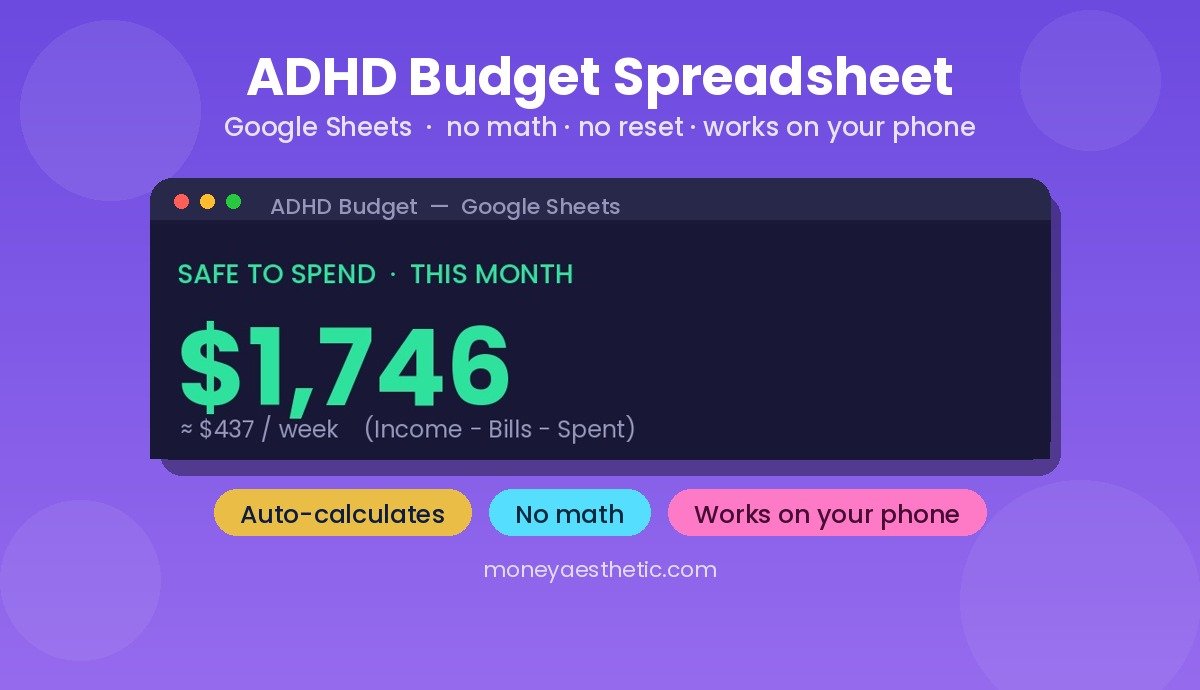
If remembering is the actual problem, use a version that keeps it in one place. The ADHD Budget Spreadsheet is one Google Sheets tab with your bills, their due dates and a Paid / Due / Late status, plus a Safe to Spend number: the income you’ve entered minus your bills and your spending.
Get the ADHD Budget Spreadsheet →Why Does Your Budget Calendar Need a Running Balance?
This is a part many budget calendar guides skip, and it’s the part that changes outcomes. A due-date grid tells you what is coming. A running balance tells you whether you can survive what is coming, and those are completely different questions.
Add one column on the right. Start with today’s balance. Going down the dates in order, add each deposit and subtract each bill. Now look for the smallest number in that column. That’s your lowest-balance day, the day each month your account gets closest to zero.
Once you know the date, the fix can be small: move one bill’s pay-by date past that dip, switch one autopay to the second paycheck, or park a small buffer you leave alone. You are not cutting anything. You are just resequencing.
Run the same column for next month too, because that’s where annual renewals and 3 paycheck months show up early enough to plan around. This is also how a sequence problem reveals itself: your deposits beat your bills for the month, but the order is wrong.
Common Misconceptions About Budget Calendars
A few ideas keep people from starting, and they don’t hold up.
“It replaces my budget.” It doesn’t. A budget calendar has no opinion about whether your takeout spending is reasonable; it just shows the money left on a given date. Keep a monthly budget template for the amounts and let the calendar handle the dates. They’re partners, not substitutes.
“Autopay means I don’t need one.” Autopay is a payment method, not a plan. For example, it can pull $340 on the 2nd when your paycheck lands on the 5th, and it will keep doing that each month until you move the draft date. Autopay plus a calendar is genuinely excellent. Autopay alone is a slot machine.
“My income is irregular, so this won’t work.” Backwards: irregular income is where a calendar can help a lot, because many of your bills still arrive on regular dates. Map the fixed dates, then budget with irregular income by funding the next month’s calendar from last month’s deposits instead of the ones you’re hoping for.
How Do You Keep It Going?
Check it weekly, ideally on the same day. The CFPB suggests keeping your bill calendar somewhere you can check it weekly, and a day at the start of your week works well because you’re already looking ahead. Tick off what cleared, adjust the running balance, glance at what’s coming.
Once a month, roll it forward: copy the recurring stuff, add anything seasonal, re-run the balance column. If you’d rather not do this by hand, a template that carries dates and formulas forward turns the monthly reset into typing in a few new numbers. That’s one reason a spreadsheet version can be easier to keep than paper: less friction, not more discipline.
And if you also want to know where the non-bill money is going, pair it with a simple system to track expenses. Calendar for the fixed stuff, tracker for the flexible stuff. Between them, far less of your month goes unseen.
Frequently Asked Questions
What is a budget calendar?
A budget calendar is a month-view layout that places each payday and each bill on the actual date it happens. Unlike a standard budget, which organizes money by category and amount, a budget calendar organizes it by timing so you can spot the days your account runs thin.
What’s the difference between a budget calendar and a bill calendar?
The CFPB’s bill calendar lists each bill, the date to pay it, and when your income arrives. A budget calendar adds a running balance, so it shows both what’s coming out and what’s left after it does.
Should I use a paper budget calendar or a digital one?
Use whichever one you’ll actually look at each week. Paper wins on visibility if you hang it where you pass by daily; a spreadsheet wins because the running balance calculates itself and next month copies forward easily.
How do I make a budget calendar in Google Sheets?
Set up a column for the date, one for the item, one for money in, one for money out, and one running balance column that adds the previous balance to money in and subtracts money out. Sort by date and the calendar builds itself as you enter bills.
How does a budget calendar work if I get paid biweekly?
Assign each bill to a specific paycheck rather than to the month as a whole, since biweekly pay usually gives you 26 checks and two months a year with three (some years have 27 checks and three such months). Mark those third paychecks on the calendar early, since they’re an easy windfall to plan around.
What should I do if a bill is due before my next payday?
Move the bill, not your life. Some billers will change a due date if you ask (it isn’t a right, so ask politely). If it can’t move, cover it from the previous paycheck by paying it early instead of scrambling. If your utility offers budget billing, whether it’s worth taking is its own question, answered in what is budget billing.
Can I just use Google Calendar for this?
Yes, with one caveat: calendar apps are built for reminders, not for running a balance, so you’ll know a bill is due without knowing whether the money is there. You can use both: reminders in the calendar app, the balance math in a spreadsheet.
How often should I update my budget calendar?
Check it weekly and reset it once a month. The CFPB specifically recommends keeping a bill calendar somewhere you can check it weekly, since the whole point is seeing a collision while there’s still time to move something.
Don’t have a budget sheet yet?
The free Monthly Budget Template is a simple place to start: one tab, income at the top, a bill checklist near the bottom, and the totals already wired in. It costs nothing: get it on Gumroad, then use File → Make a copy.
Get the free Monthly Budget Template →This article is for general education only and isn’t personalized financial advice. Figures cited are from the sources linked or named above and were checked against those sources in September 2026.