
Astrophotography Session Tracker
Log every imaging night in one Google Sheet. The Astrophotography Session Tracker keeps your targets, integration time, sky conditions, gear and Messier progress in one place — and works out the number nobody else shows you: your real cost per imaging hour. Every formula is already built. You type what you shot; the sheet does the math.
Take a look inside
The actual product — here’s what you get.
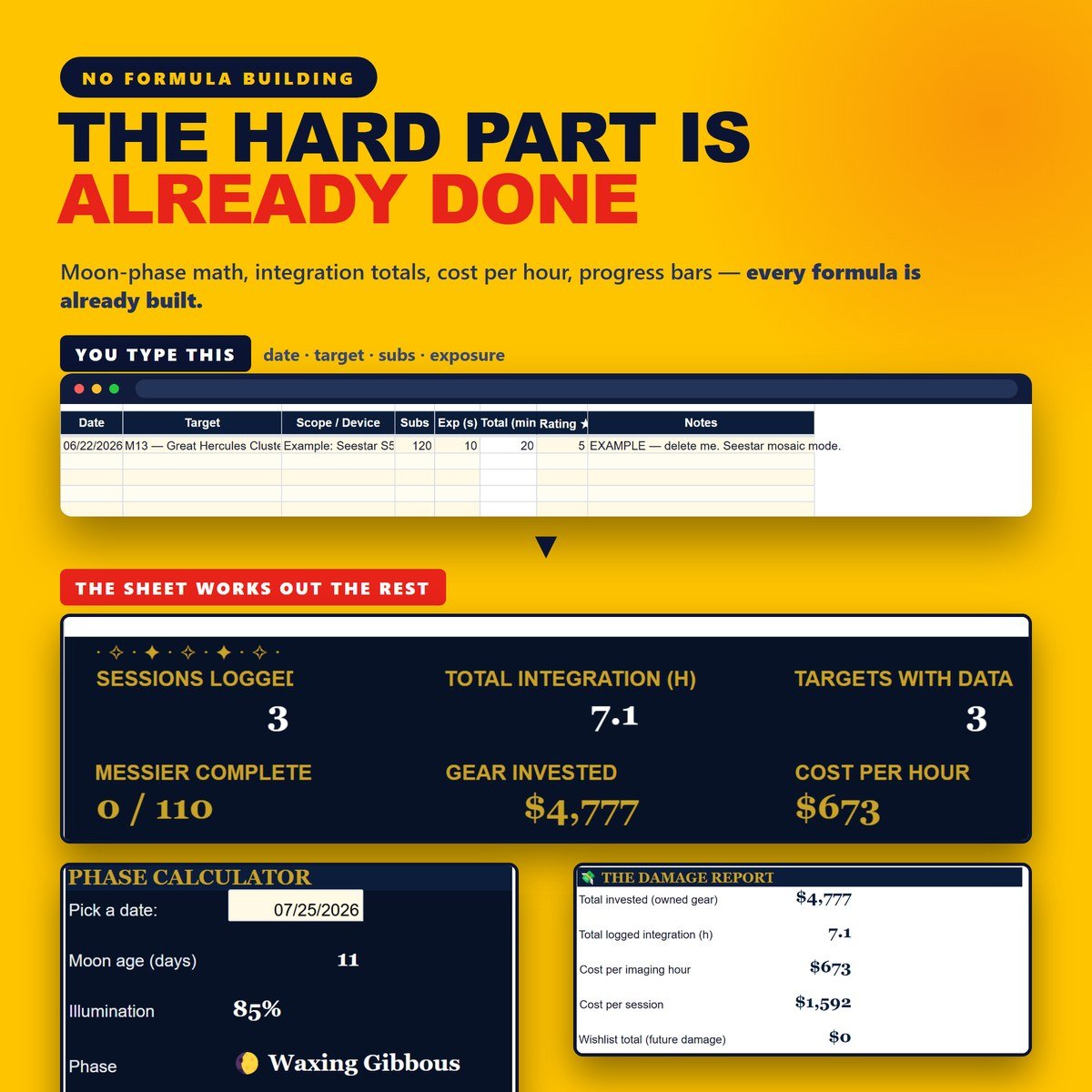
The hard part is already done
Type the date, the target, your subs and your exposure — that’s it. Integration totals, monthly stats, gear usage and your “Year Under the Stars” recap all work themselves out. No add-ons to install, no scripts, no permission pop-ups.
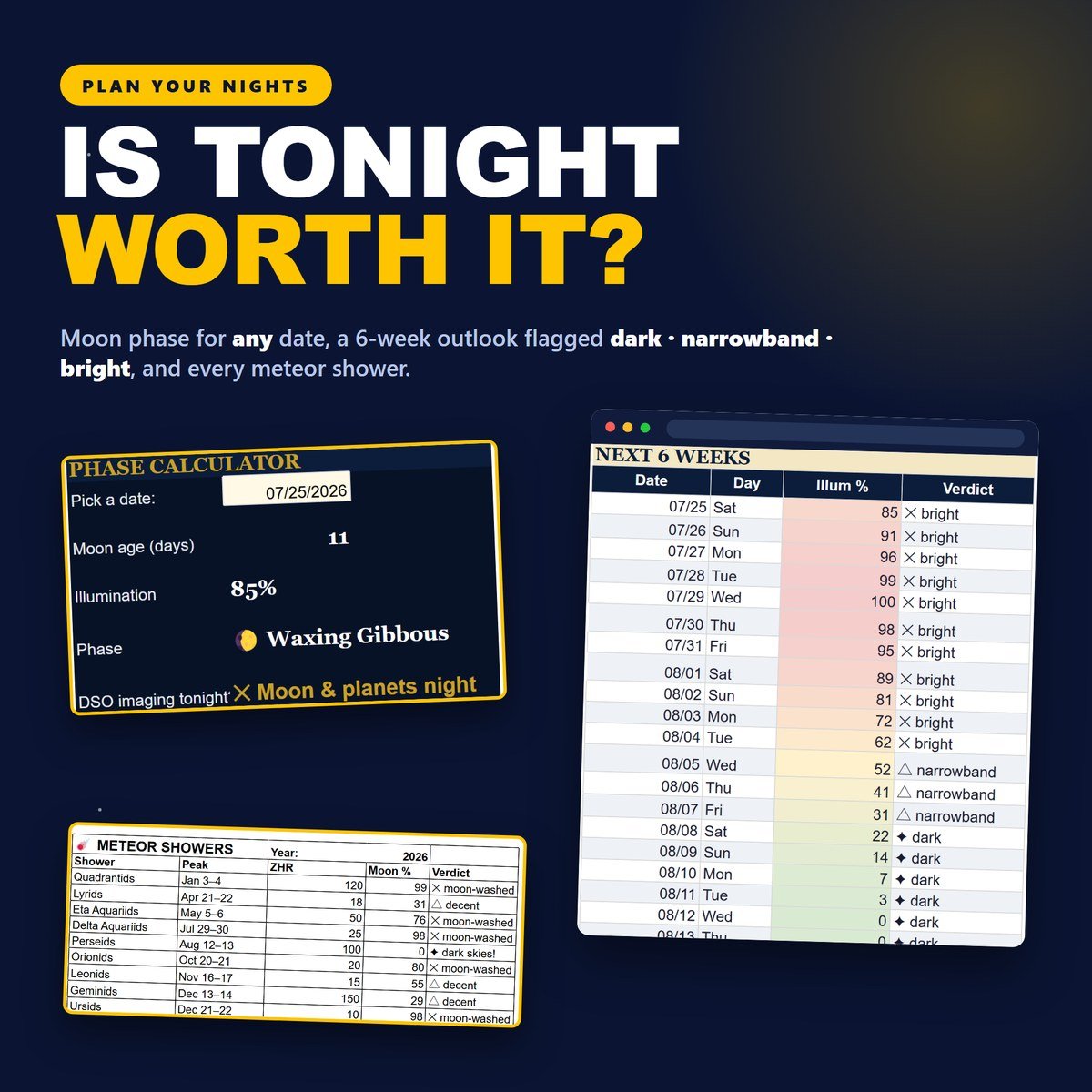
Know if tonight is worth setting up
A moon phase calculator for any date, a six-week outlook that flags every night dark, narrowband or bright, and a meteor-shower calendar with the moon percentage at each peak. It’s formula-driven, so it never expires on you.
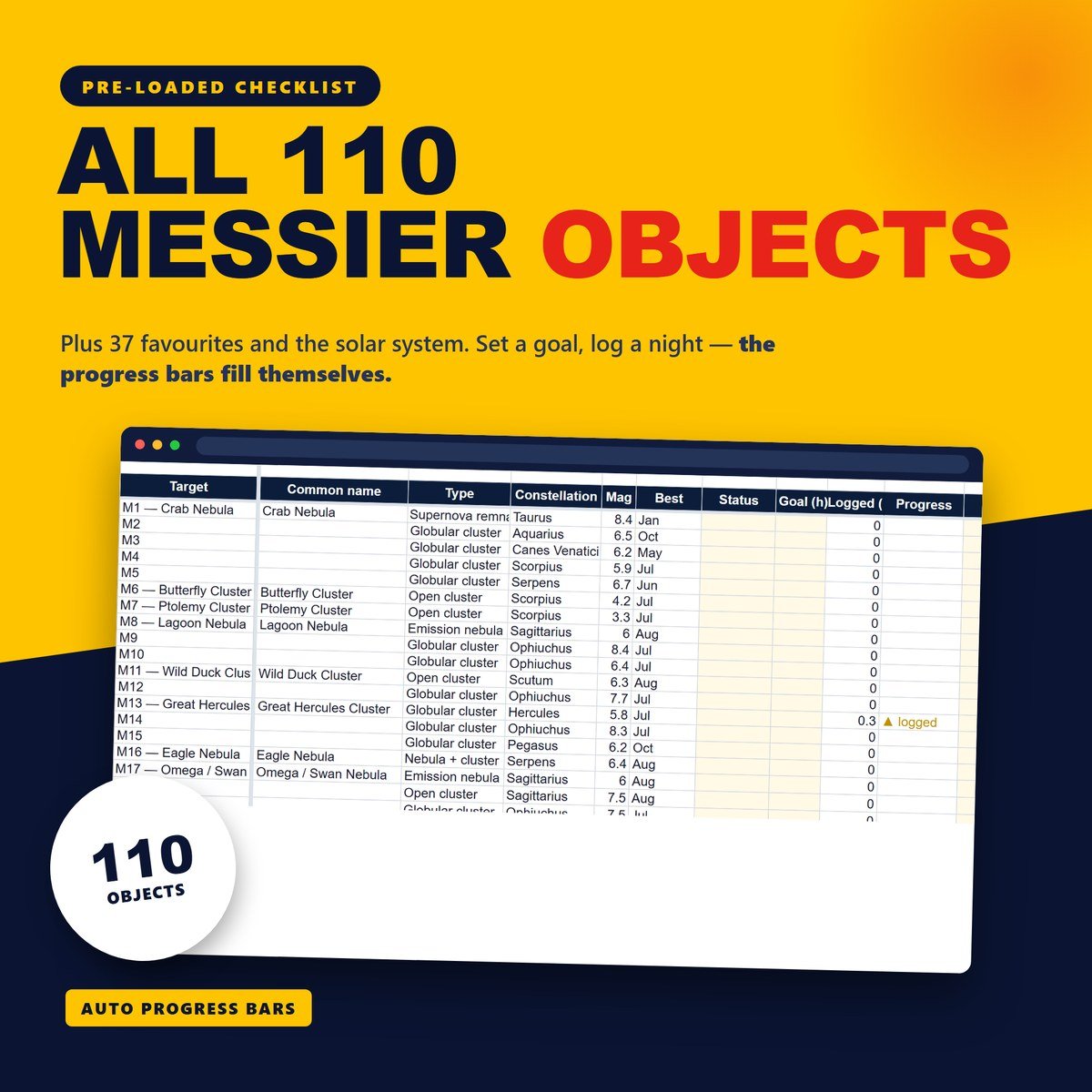
All 110 Messier objects, ready to tick off
Plus 37 favourites and the solar system — each with type, constellation, magnitude and best month. Set an integration goal per target and the progress bars fill themselves in as you log your nights.
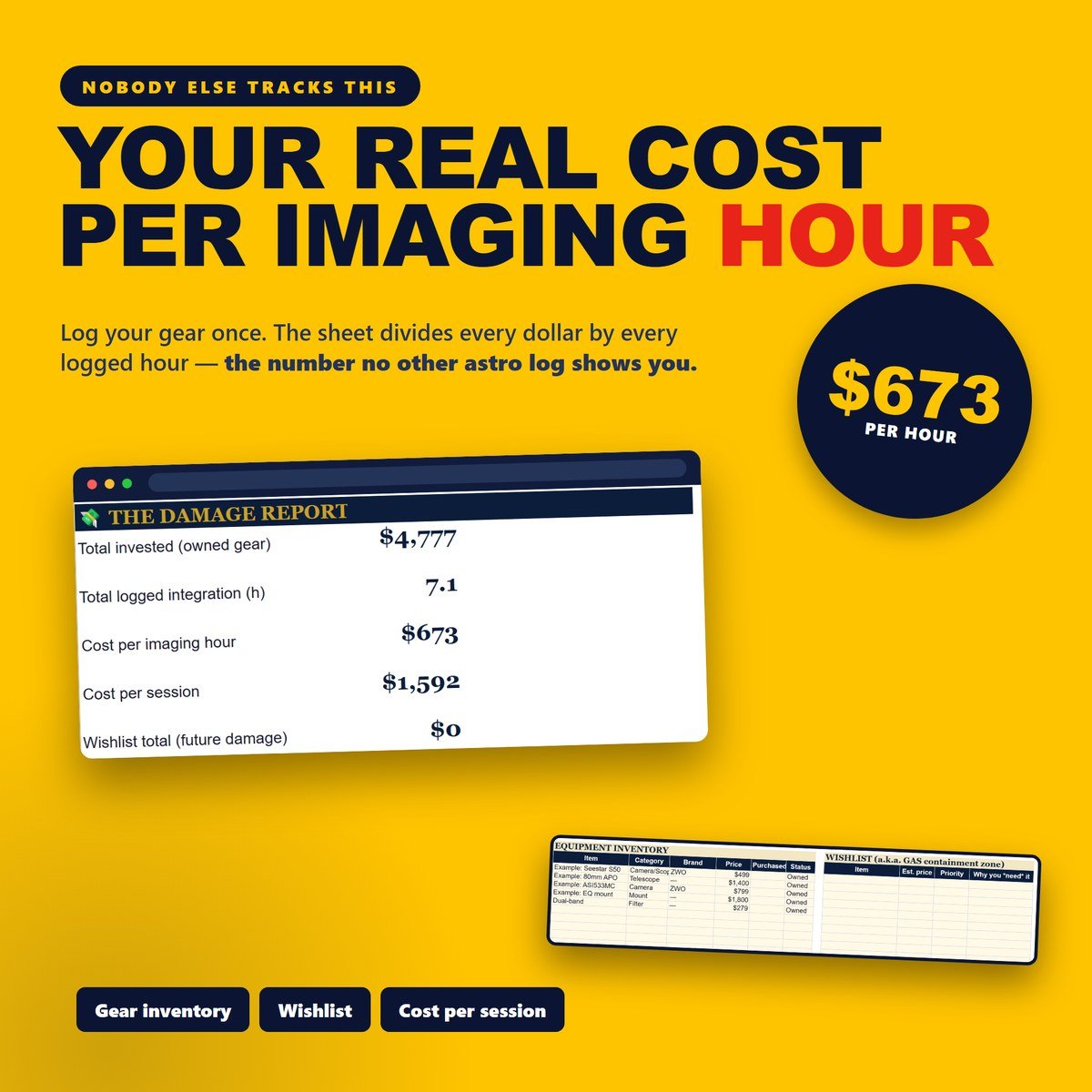
Your real cost per imaging hour
Log your gear once and the sheet divides every dollar by every logged hour — cost per imaging hour, cost per session, and the wishlist total you’re pretending you don’t want. The one number no other astronomy log shows you.
What’s inside
Seven simple tabs that do the work for you — not thirty overwhelming ones.
Dashboard that fills itself
Integration per target and per filter, sessions and hours by month, most-used gear, and a Year Under the Stars recap.
23-column Session Log
Subs × exposure, gain and offset, cooling, Bortle, seeing, transparency, moon % and notes — everything a rig imager wants.
Quick Log for smart scopes
A simple 8-column view built for Seestar S50 nights. It still feeds every number on the dashboard.
157 targets, pre-loaded
Messier 110, 37 favourites and the solar system, with magnitude, constellation, best month and auto progress bars.
Gear & money
Equipment inventory, wishlist and the honest cost-per-imaging-hour stat that no other astro log calculates.
Moon & reference
An evergreen moon phase calendar, meteor showers, Bortle and seeing scales, plus FOV and eyepiece calculators.
How it works
Buy & download
Checkout takes seconds. You instantly get a PDF with your private Google Sheets link inside.
Make a copy
Click the link and choose File ▸ Make a copy. Your own private copy saves to your Google Drive.
Log tonight
Open the START HERE tab for a plain-English tour, add your first session, and watch the dashboard fill in.
Why imagers love it
The little wins that make it worth every penny.
“Okay, the hard part really is done.” I’ve started building my own logging sheet three times and given up three times, always somewhere around the integration formula. This one already had every single one of them written.
“I stopped guessing whether tonight was worth it.” I type a date, it tells me 85% and “moon & planets night.” Two seconds and I know whether to haul the rig out or go to bed.
“It told me my hour under the stars costs $673.” Brutal number, honestly. But it’s also the thing that finally got me out imaging instead of scrolling gear listings.
“A Seestar night takes 30 seconds to log.” Eight columns, done, phone back in my pocket. And it still counts toward every total on the dashboard, which is the part I didn’t expect.
“110 little boxes to tick. Dangerous.” I logged M13 and watched a progress bar move, and now I have a Messier goal I did not have last month. Zero regrets.
“No Notion, no subscription, nothing to expire.” It’s a Google Sheet in my own Drive. Works on the laptop in the field with no signal, and it’ll still open in ten years.
“One sheet, two modes.” Full 23 columns on the nights I bring the mount out, the quick view when it’s just the smart scope on the balcony. I don’t have to keep two logs any more.
“The year recap got me.” Most-shot target, best month, longest single session — all of it there without me doing anything. It turned a spreadsheet into something I actually want to open.
FAQ
Do I need to be good with spreadsheets?
Not at all. Every formula is already written and tested — you only ever type your own numbers into the coloured cells. The START HERE tab walks you through each tab in plain English.
What do I actually receive?
An instant PDF download with a link to the Google Sheet inside. You click it, choose File ▸ Make a copy, and your own private version saves to your Google Drive. Nothing is shipped.
Does it work with a Seestar S50 — or a full DSLR/CMOS rig?
Both. There’s a simple 8-column Quick Log built for Seestar and other smart telescopes, and a full 23-column Session Log for rig imagers (subs, exposure, gain, offset, cooling, Bortle, seeing, transparency). They feed the same dashboard, so you can use either or both.
Does it work on my phone? Can I use it in Excel?
It opens in the free Google Sheets app on phone and tablet, so you can log a session from the field. It’s built for Google Sheets — Excel isn’t supported.
Is it a one-time payment?
Yes — pay once and it’s yours forever, including every future update. There’s no subscription and no account to keep. Because it’s an instant digital download, all sales are final.
Can I get a refund?
Because this is an instant digital download — you receive the full template the moment you buy — all sales are final and refunds aren’t offered. If anything about your file doesn’t work as described, send a message through our contact form and we’ll help you get it sorted.
More templates
You might also like these.
Start logging tonight
Session log, Messier checklist, moon calendar and cost per imaging hour — one Google Sheet, yours in one click.